Setup — 4 Steps
1
Step 1
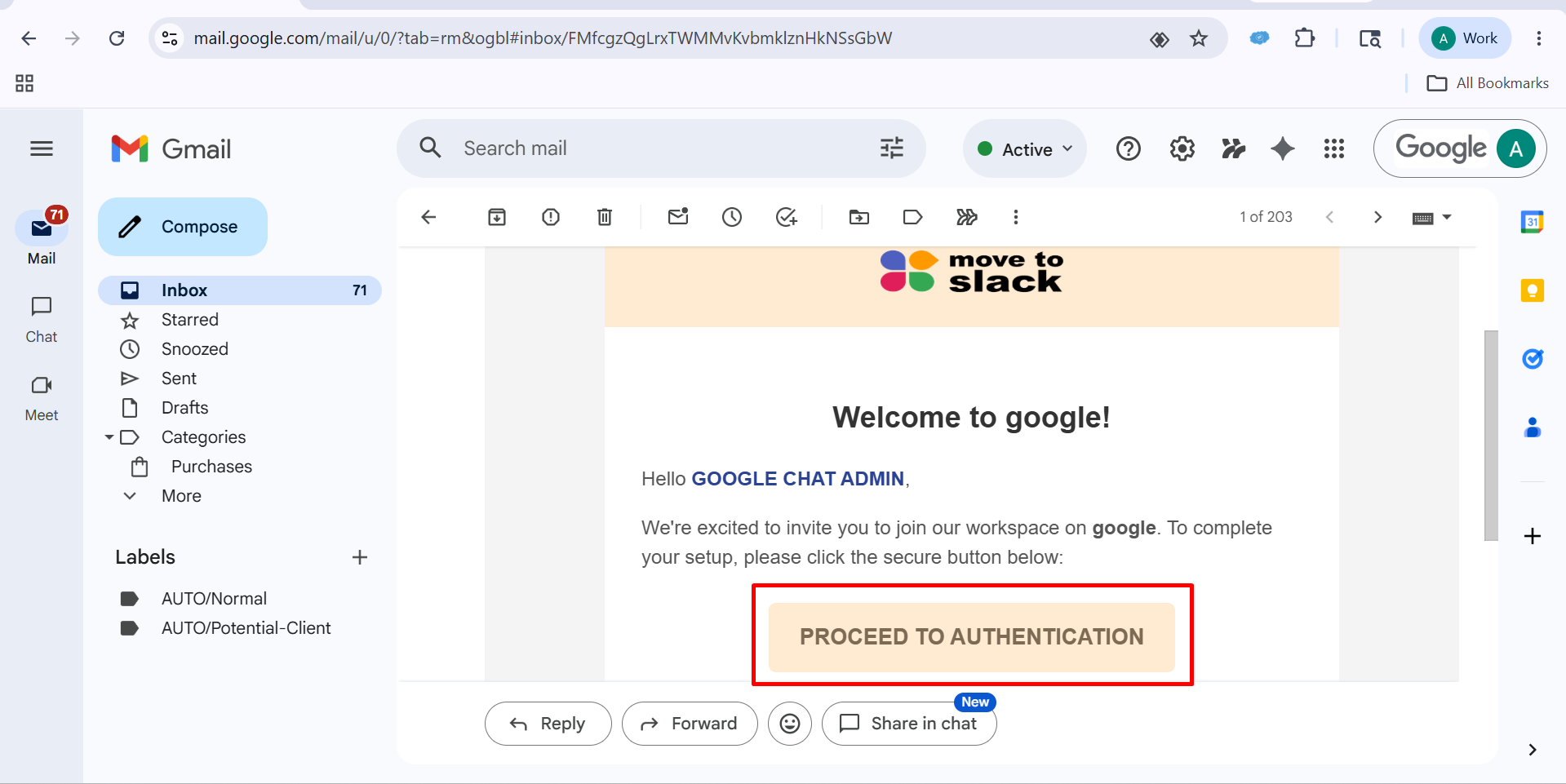
Please go to your email, open the inbox, and open the related Move to Slack email and click on “Proceed to Authentication".
▾
2
Step 2
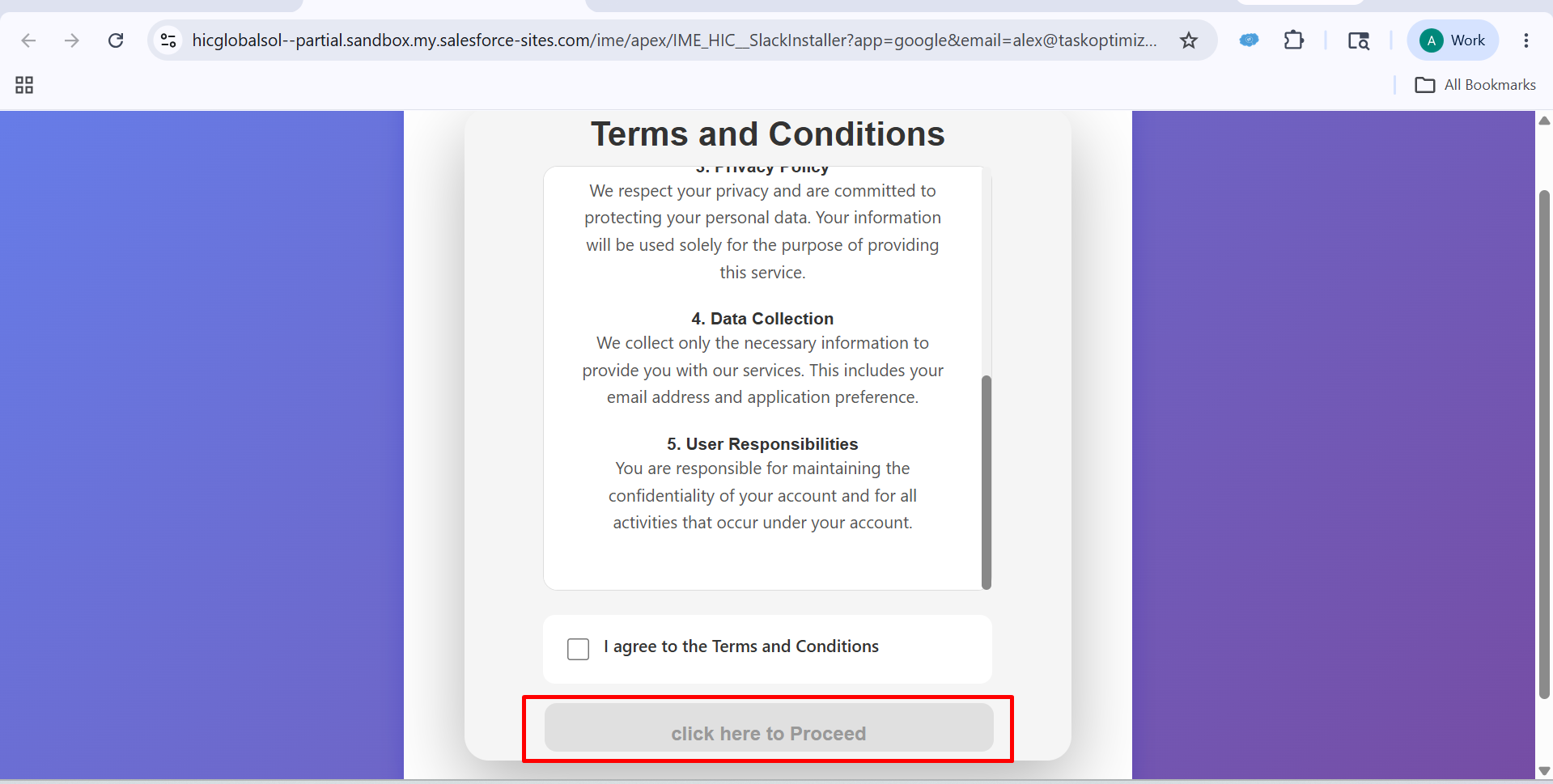
After clicking on Proceed to Authentication, you will see a dashboard like this.
▾
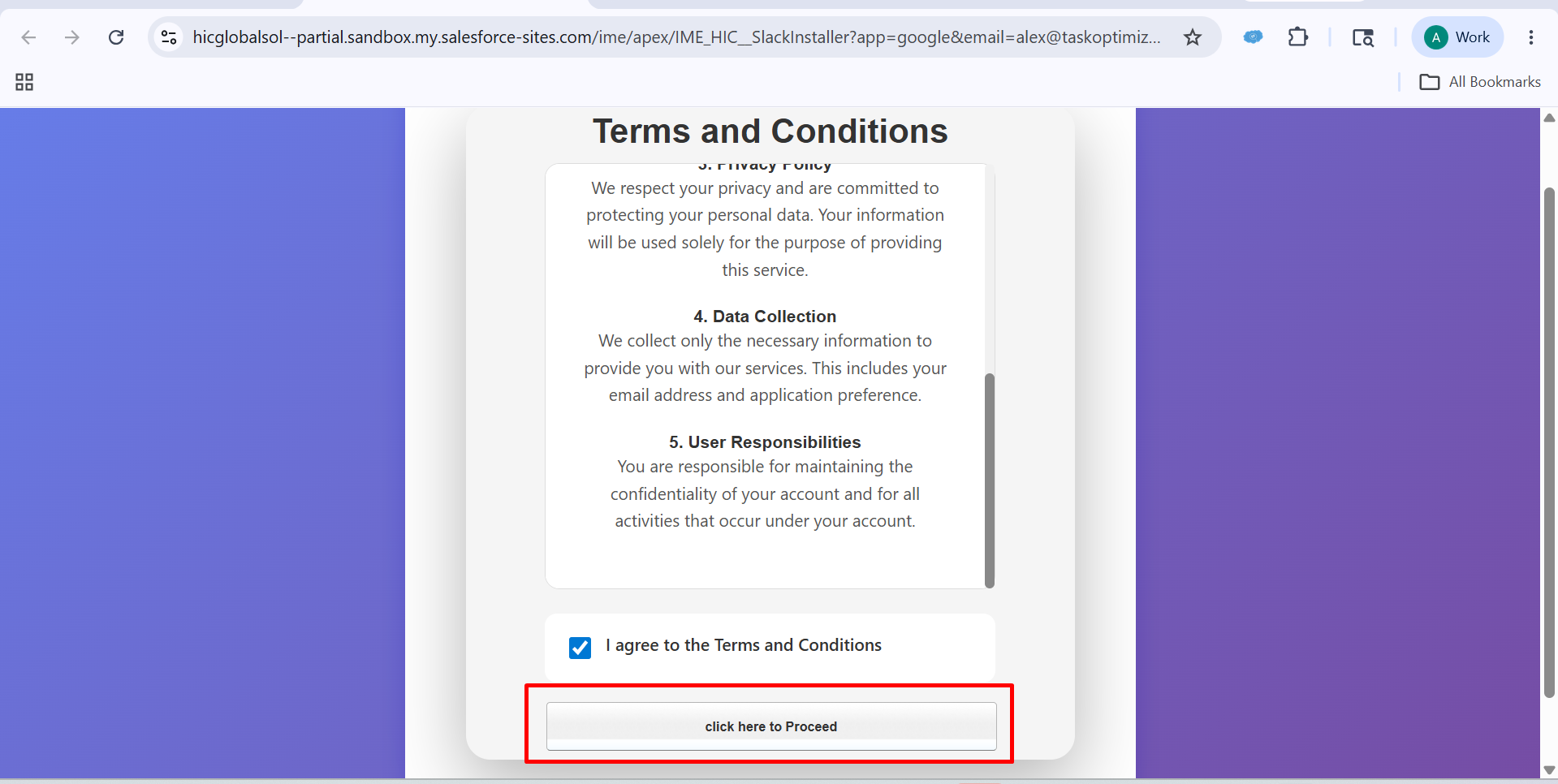
After that, Check the "I Agree to the Terms and Conditions” checkbox and click on “Click Here to Proceed.”
3
Step 3
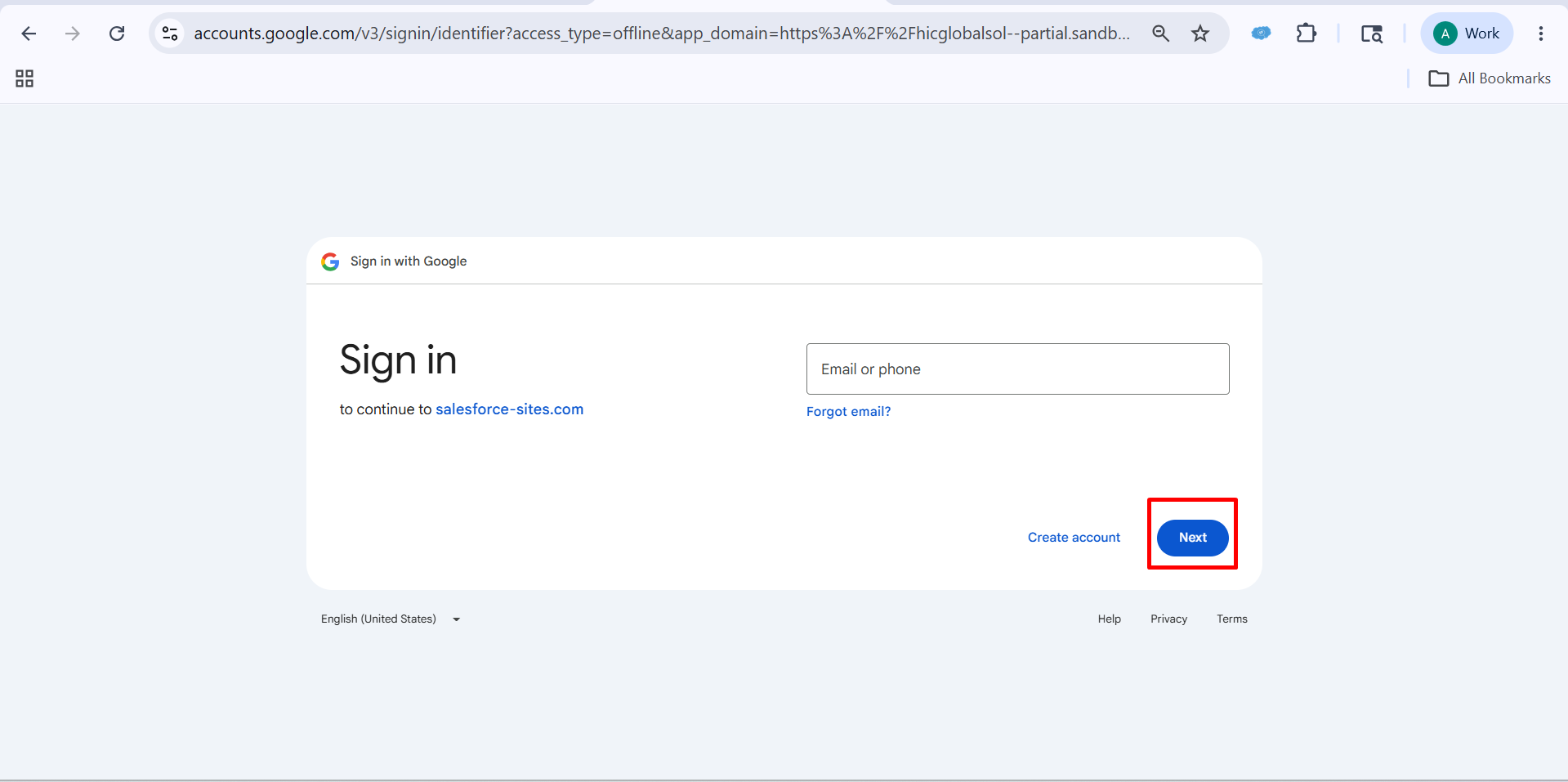
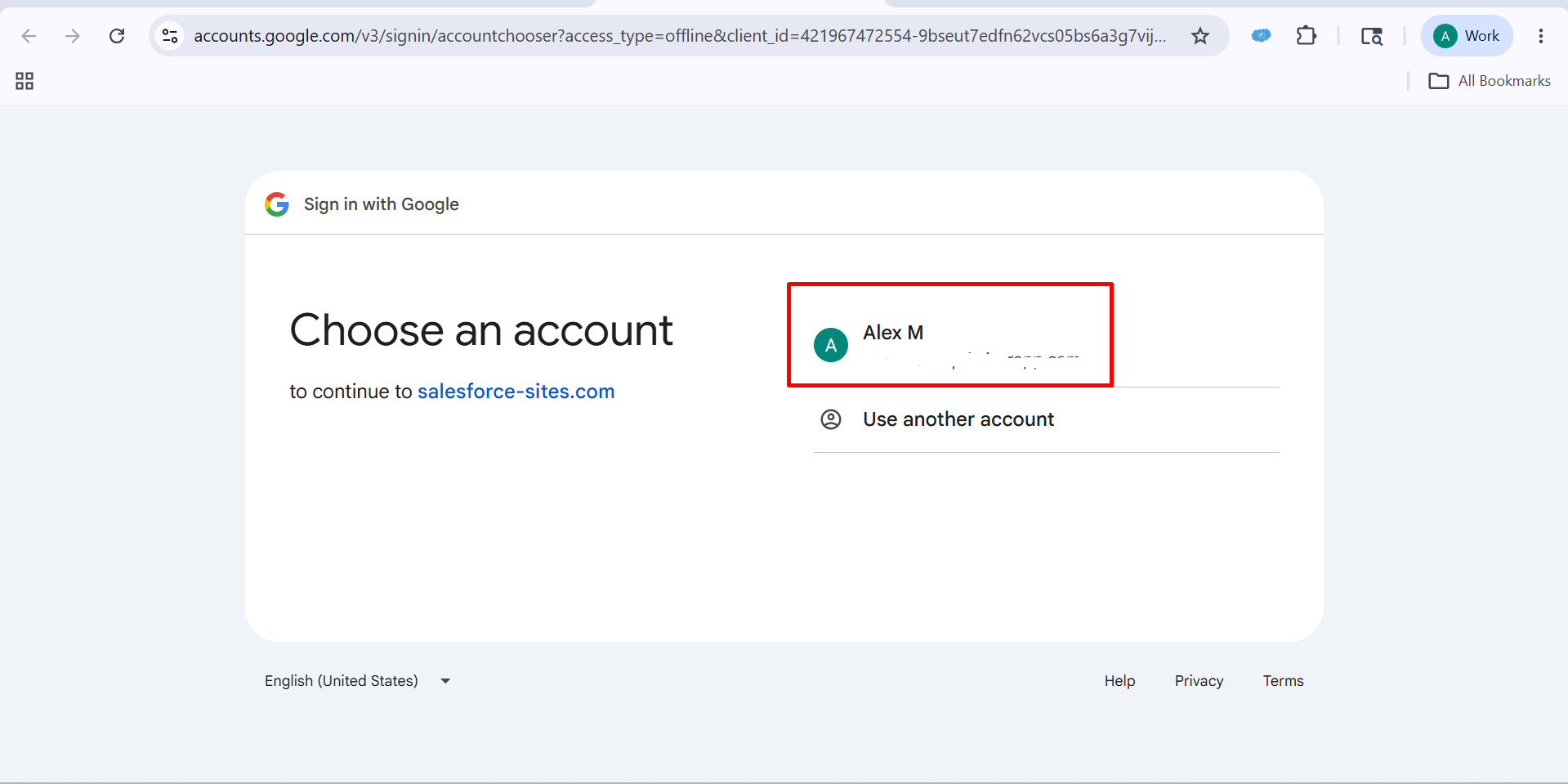
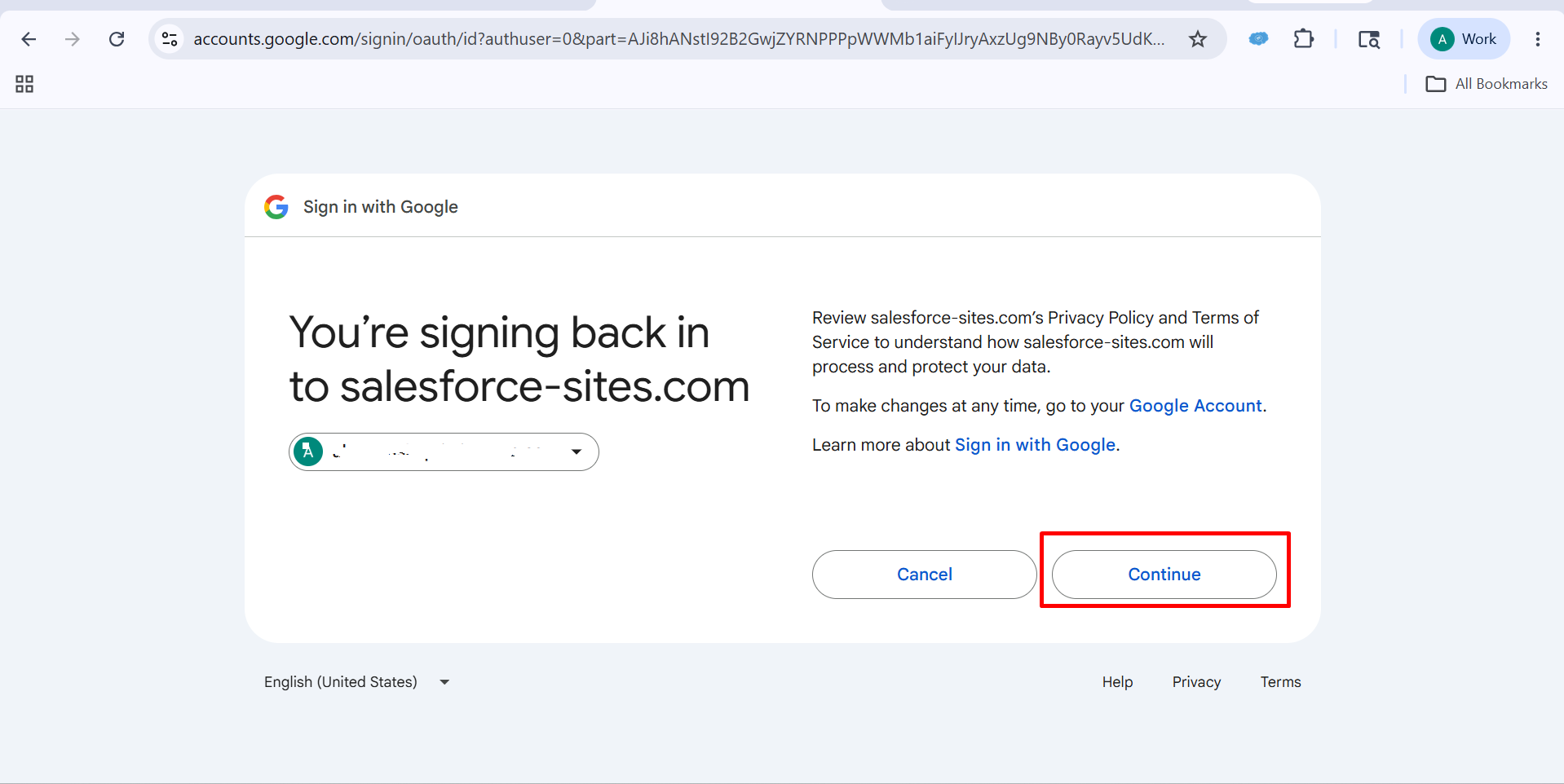
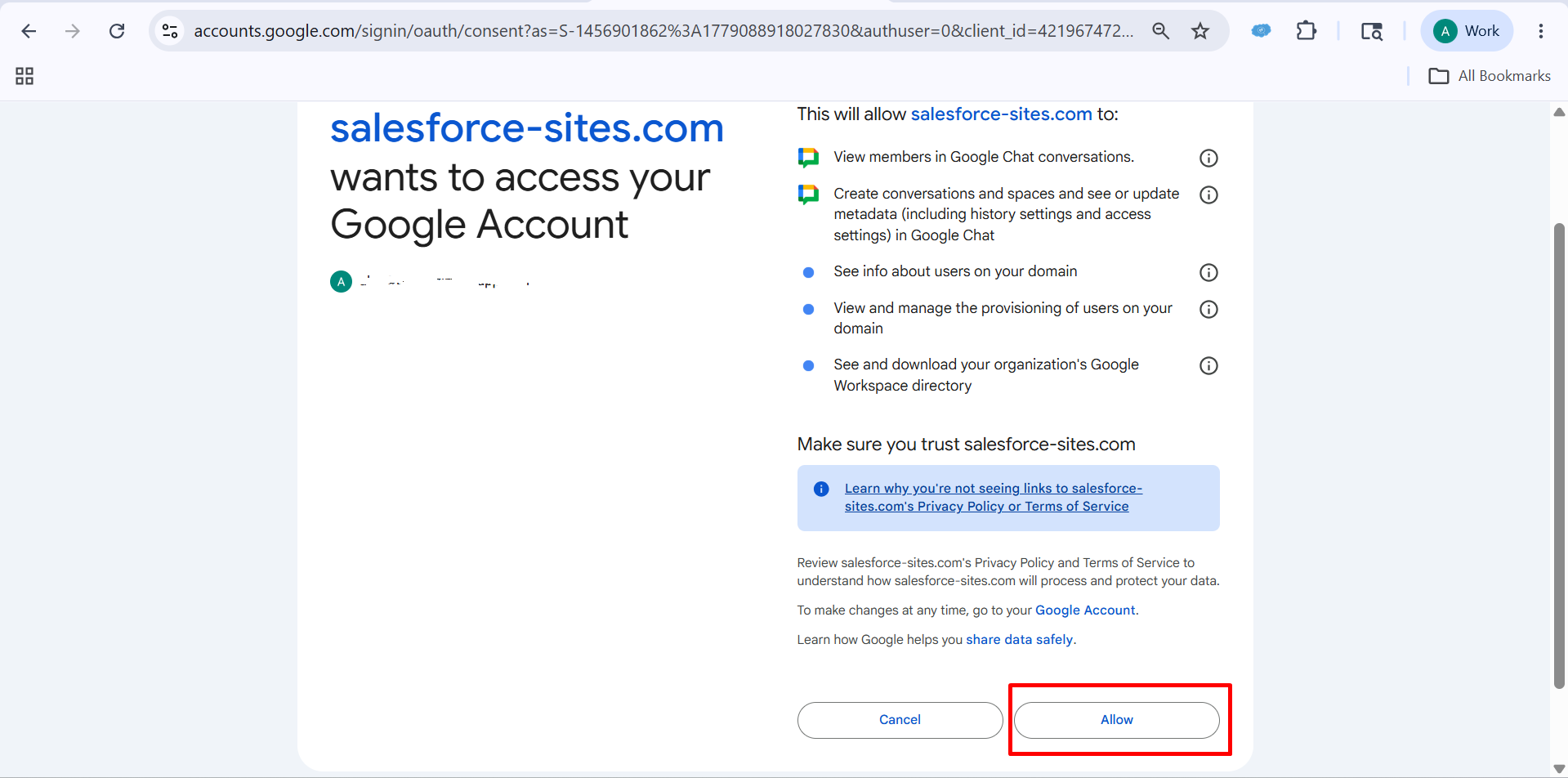
After that, you will see a dashboard like this, and you can also choose an email if this option is visible, otherwise you can enter your email and password manually, then click on “Continue and After that Click on Allow
▾
4
Step 4
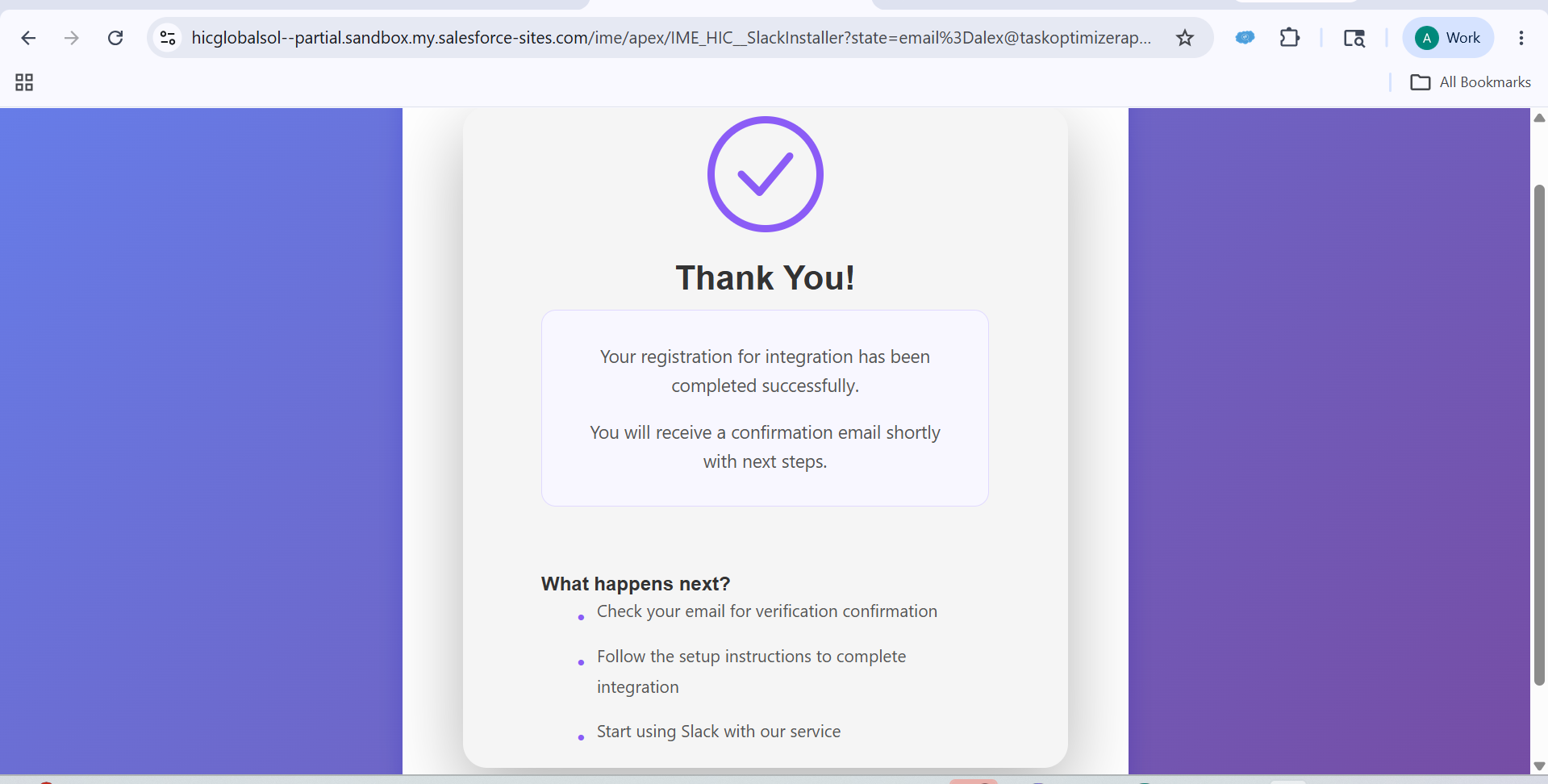
After that, you will see a dashboard like this.
▾