In every growing organization, communication between teams plays an important role. When teams work from different locations, managing projects, sharing updates, and staying connected can become challenging without the right platform.
Many businesses now use team collaboration software to bring conversations, files, tasks, and daily work together in one place. For businesses planning to move to Slack, choosing the right migration approach helps ensure a smooth transition.
Some platforms focus more on meetings, some on project management, while others are built mainly for communication. The right choice depends on your team’s workflow, business needs, and collaboration goals.
In this blog, we will compare the top 7 collaboration platforms and understand why Slack for business has become a preferred choice for many organizations.
Comparing Top Team Collaboration Platforms
Before choosing a collaboration platform, businesses need to look beyond just messaging. Features, pricing, security, integrations, and overall user experience all play an important role. When businesses decide to move to Slack, these factors help determine the right migration strategy.
Different platforms solve different business needs. Some are better for video meetings, while others are better for managing projects or connecting multiple applications.
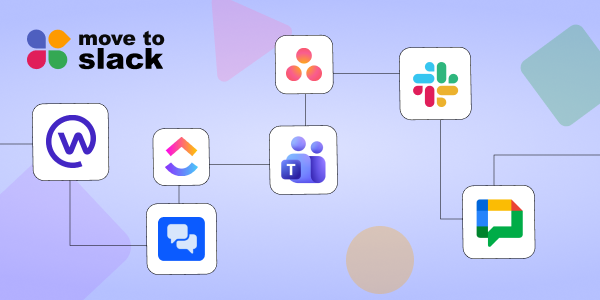
Let’s check out the comparison of some leading platforms.
| Platform | Pricing | Main Features | Security | What It Does Best | Best For |
|---|---|---|---|---|---|
| Slack | Free plan caps history at 90 days. Paid plans start at $7.25/mo per user. | Quick text chats, audio huddles, channels for different projects, and AI summaries. | Best for enterprises; encrypts your data and keeps chats private. | Super fast, casual daily chatting and connecting with tons of other apps. | Teams that want fast, everyday communication without the clutter. |
| Microsoft Teams | Paid plans start around $4/mo per user. Often bundled into Office 365. | Video calls, webinars, group chats, and deep integration with Word/Excel. | High-level security backed by Microsoft’s corporate safety standards. | Smooth video meetings and managing files alongside your team. | Companies already using Word, Excel, and Outlook. |
| Google Chat | Included with Google Workspace accounts (starts at $6/mo per user). | Shared spaces for teams, text chat, and quick sharing from Google Drive. | Tied directly into Google’s standard secure cloud infrastructure. | Collaborating live on Google Docs right inside the chat window. | Teams that run entirely on Google Docs, Sheets, and Gmail. |
| Zoom Team Chat | Free if you already pay for a standard Zoom video plan. | Text messaging that connects straight into your video meetings. | Solid encryption and settings to keep unauthorized people out. | Keeping the conversation going before, during, and after video calls. | Teams that spend most of their workday on video calls. |
| Asana | Free basic version. Paid plans unlock deeper tracking tools. | Lists of tasks, project timelines, deadlines, and progress boards. | Good privacy controls to decide who sees which projects. | Organizing who is doing what and keeping track of deadlines. | Teams focused on finishing projects rather than just chatting. |
| ClickUp | Free forever basic plan. Paid plans add more storage and tools. | Task tracking, custom dashboards, built-in docs, and goal tracking. | Strong password protections and customizable user access. | Replacing 3 or 4 different apps by putting everything in one workspace. | Teams trying to cut down on tool sprawl and track every single detail. |
| Workplace by Meta | Paid software with customized pricing depending on company size. | Company announcements, live videos, and social-media-style feeds. | Private corporate setups away from personal social media. | Sharing big announcements across the whole company, especially frontline staff. | Large companies that need a digital bulletin board for all employees. |
Each platform has its own advantages, but businesses today need more than just a chat application. They need business communication tools that can connect different teams, support different workflows, and adjust according to changing business requirements.
Why Slack Leads Among Collaboration Platforms
Slack has become a popular choice for teams because it makes communication simple and organized. Instead of scattered conversations, teams can manage discussions based on projects, topics, and workflows.
For businesses looking to move to Slack, this helps create a smoother collaboration experience with better-organized conversations.
Planning to Move to Slack?
Many organizations are now moving from older communication platforms because they need a solution that supports faster collaboration and better flexibility.
If your company is planning to move from platforms like Microsoft Teams or Google Chat, the migration process needs proper planning. Moving important conversations, files, users, and channels manually can become time-consuming.
Using a dedicated solution like Move to Slack helps businesses complete the migration process smoothly while reducing disruption for employees.
Some important features that help during migration include:
- Complete Workspace Migration – Move users, channels, conversations, files, and workspace data securely.
- User Account Migration – Transfer user profiles, roles, and access settings without manual setup.
- Channel & Conversation Migration – Migrate public and private channels along with important message history.
- File & Attachment Migration – Move shared files and attachments while preserving accessibility.
- Data Security & Integrity – Ensure secure data transfer with accurate migration results.
A proper migration approach allows businesses to start using Slack for business without losing important information from their previous platform.
After migration, teams can take advantage of Slack workflows, integrations, and other collaboration features to create a better working environment.
Conclusion
Choosing the right collaboration platform is an important decision for every growing business. While different tools offer different capabilities, Slack stands out because of its flexibility, simple experience, powerful integrations, and ability to support different ways of working.
A good team collaboration software should not only help employees communicate but also help them complete work faster. With organized conversations, connected applications, and smarter workflows, Slack provides businesses with a platform that supports modern workplace needs.
If your organization is planning to improve its communication process and adopt a more flexible platform, Move to Slack helps you switch smoothly while keeping your teams connected and workflows running efficiently.
Frequently Asked Questions
Migration timelines depend on workspace size, users, channels, and files. Move to Slack helps businesses complete migrations efficiently while minimizing downtime and keeping daily collaboration uninterrupted throughout the process.
Migrating message history helps preserve knowledge, compliance, and project context. Move to Slack supports secure historical data migration, allowing teams to access previous conversations whenever business continuity requires them.
Technology, healthcare, finance, education, manufacturing, and consulting organizations benefit from streamlined collaboration. Move to Slack helps businesses across industries migrate securely while maintaining operational continuity and productivity.
Slack connects with thousands of business applications, reducing manual work across departments. Move to Slack ensures organizations migrate confidently while preparing integrated workflows that improve everyday collaboration and efficiency.
Dedicated migration solutions reduce manual effort, improve accuracy, and protect business data. Move to Slack provides a reliable migration experience that helps organizations transition confidently with minimal operational interruptions.