Moving from one communication platform to another sounds simple until the real questions start showing up. What happens to old conversations? What happens to users, files, workflows, and the money already spent on Google Workspace?
Google Chat to Slack can make sense for teams that want a broader app ecosystem, more flexible collaboration, and stronger workflow automation. But moving only because “Slack is better” is probably not enough reason. There is a lot more to check first.
If you are planning to migrate Google Chat to Slack, this guide covers the things worth looking at before anyone starts moving data around.
Comparing Both Platforms Before the Switch
A Google Chat vs Slack comparison is useful because the two tools are built around slightly different working styles. Google Chat sits naturally inside Workspace, while Slack works more like a central place for conversations, apps, and workflows. Slack currently lists more than 2,600 apps, while Google Chat stays closely connected with Gmail, Drive, Docs, and Meet.
| Area | Slack | Google Chat |
|---|---|---|
| Main approach | Channels, threads, huddles, workflows, external collaboration | Spaces, direct messages, threads, tasks |
| App connections | 2,600+ apps across the Slack ecosystem | Strong native connection with Google Workspace |
| Search | Messages, files, and connected apps on supported plans | Messages and shared files inside Chat |
| Automation | Workflow Builder and app-based workflows | Workspace automation and Google ecosystem tools |
| AI | Summaries, search, Slackbot and workflow features depending on plan | Gemini features depending on Workspace plan |
| Best fit | Teams using many different business tools | Teams already centered around Google Workspace |
| Cost consideration | Separate Slack subscription may be needed | Chat is included with Google Workspace |
The important part here is not choosing a winner from a table and calling it a day. The better question is which setup actually fits how your teams work every morning.
A Google Chat vs Slack comparison should also look beyond the features because a tool can look great on paper and still not fit the way your people actually work.
Things Businesses Should Consider Before Migrating from Google Chat to Slack
Cost and Financial Impact
Before you migrate to Slack, look at the actual cost, not only the subscription number. Google Chat is included with Google Workspace, so adding another platform can create overlapping spending.
Some Slack capabilities sit in higher plans, so teams should check the features they actually need instead of looking only at the starting price. Slack currently lists Pro at $7.25 per user/month when billed annually and Business+ at $15 per user/month, while Enterprise+ uses custom pricing.
A Google Chat vs Slack comparison should therefore include:
- Current Google Workspace spending
- Slack licenses needed for all users
- Extra costs for advanced features
- Possible duplicate subscriptions
- Migration and implementation costs
Your Existing Google Workspace Setup
Google Chat is deeply connected with Gmail, Drive, Docs, Calendar, and Meet. If your people jump between these tools all day, moving the chat layer somewhere else changes that familiar routine.
During a Slack migration process, teams should check which Google-based habits need to stay, which can be replaced, and which may need a new workflow.
Integrations and Custom Workflows
This one can become a little messy. Teams may already have bots, scripts, alerts, and integrations working through Google APIs.
When you migrate Google Chat to Slack, those connections may need to be rebuilt or replaced. Slack has more than 2,600 apps and also provides Workflow Builder and APIs for custom processes.
So before moving, make a simple list of:
- Current bots
- Google API scripts
- Alerts and notifications
- CRM connections
- Project management tools
- Custom workflows
Data and Conversation History
Old messages are not just old messages. They can contain decisions, customer information, project context, and those random details someone will definitely ask about six months later.
A Slack migration process should therefore include a clear plan for historical conversations, attachments, users, and access information. Native migration options may not move every item cleanly, so third-party migration tools can become important.
Users, Guests, and Access
User mapping needs attention before you migrate Google Chat to Slack. Different directory structures, external guests, permissions, and account identities can create confusion if nobody checks them beforehand.
Make sure you know:
- Which users are active
- Which accounts are duplicates
- Who needs guest access
- Which users need admin permissions
- How external collaborators will work after the move
Security and Compliance
Security should not be treated like the final checkbox. Both platforms support enterprise security and compliance requirements, but the controls available can depend on the plan and environment. Slack lists controls and standards including SOC 2, HIPAA, ISO 27001, and enterprise security features, while Google Workspace also provides enterprise security controls and compliance capabilities.
For a Slack migration process, review:
- Data retention
- Encryption requirements
- SSO
- User provisioning
- Audit needs
- DLP requirements
- Regulatory obligations
Employee Adoption
And then there is the actual part, which somehow gets forgotten in many technology projects.
If people have spent years working inside Google Chat, suddenly asking everyone to change how they communicate can create frustration. When you migrate Google Chat to Slack, give teams time to understand channels, threads, notifications, integrations, and the new daily routine.
A small training session can honestly save a lot of “where did that message go?” conversations later.
The Best Way to Migrate From Google Chat to Slack With Move to Slack
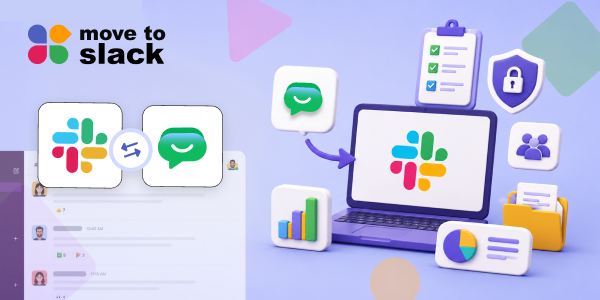
For companies that have decided to migrate to Slack, Move to Slack provides a dedicated migration solution designed to help businesses move collaboration data into Slack without turning the whole project into a giant manual exercise.
The platform gives teams a more structured way to handle the move, so they can plan the migration, organise the information involved, and get the new Slack environment ready without spending days copying things around manually.
With Move to Slack, businesses can:
- Move important workspace data through a structured migration approach
- Support larger migration projects without depending entirely on manual copying
- Keep users and collaboration information organised during the transition
- Plan migration activities before the final move
- Make the Slack migration process easier for internal teams to manage
- Spend less time jumping between platforms and more time preparing the new workspace
- Give teams a clearer path when they migrate Google Chat to Slack
- Make the overall Google Chat to Slack journey easier to manage from planning to completion
Conclusion
Google Chat to Slack is not really a decision about which logo looks nicer in the sidebar. It is about how your people work, what systems they depend on, and where collaboration needs to go next.
For teams that need broader integrations, flexible collaboration, and more connected workflows, Slack can be a strong option. But the move still needs planning, especially around cost, users, apps, workflows, and historical information.
If the decision is already made to migrate Google Chat to Slack, using a dedicated migration tool like Move to Slack can make the work much more manageable. And with the right preparation, the move does not have to become that giant weekend project everyone secretly wants to avoid.
Frequently Asked Questions
A realistic timeline depends on users, data volume, integrations, and testing. Start with discovery, then pilot, validation, migration, and post-migration support to reduce disruption during final cutover.
Track active users, message activity, support requests, workflow adoption, search usage, and employee feedback. Comparing baseline and post-migration metrics helps determine whether collaboration improved after the transition.
Begin preparation several weeks before cutover for complex environments. Earlier planning allows time for discovery, stakeholder alignment, testing, communications, and remediation before teams migrate Google Chat to Slack.
Assign owners for identity, data, integrations, security, communications, testing, and support. A responsibility matrix prevents overlooked tasks and gives stakeholders clear accountability throughout the Slack migration process effectively.
Classify unavailable data by business value, retention requirements, and accessibility needs. Preserve critical information separately where appropriate, document limitations, and communicate clearly before finalizing the Google Chat migration.