Remote work has permanently changed how teams communicate, collaborate, and manage projects. As businesses continue building distributed workforces, choosing the right collaboration platform has become a strategic decision rather than just an IT preference.
Among the most popular platforms, the debate around Google Chat vs Slack continues to grow in 2026. Both tools support team messaging and collaboration, but they differ significantly in integrations, workflow automation, scalability, and overall user experience.
This guide breaks down the real differences between Google Chat and Slack for remote teams, helping businesses understand which platform delivers better productivity, communication, and long-term flexibility.
Why Communication Platforms Matter More for Remote Teams
Remote teams rely entirely on digital communication. Without the right platform, collaboration becomes fragmented, information gets buried, and productivity slows down.
Modern communication tools are expected to do much more than messaging. Teams now need:
- Real-time collaboration
- Workflow automation
- File sharing
- AI-powered productivity
- Deep integrations with existing tools
This is why businesses are increasingly comparing platforms like Google Chat and Slack based on how effectively they support remote work operations.
What Is Google Chat?
Google Chat is Google’s team messaging platform included within Google Workspace. It is designed for businesses that already use Gmail, Google Drive, Docs, and Google Meet.
Google Chat focuses on simplicity and lightweight communication. Teams can create Spaces for projects, collaborate on files in real time, and communicate directly from the Google ecosystem.
For organizations heavily invested in Google Workspace, Google Chat provides a familiar and accessible communication environment.
Google Chat Strengths for Remote Teams
Google Chat performs well for teams that prioritize simplicity and document collaboration.
Its tight integration with Google Docs, Sheets, and Drive allows remote employees to collaborate on files without leaving conversations. Teams can edit documents simultaneously while discussing projects in real time.
The platform is also easy to adopt because most employees are already familiar with Google products, reducing onboarding time.
What Is Slack?
Slack is a collaboration platform built around channels, automation, and integrations. Unlike Google Chat, Slack is designed to function as a central workspace where communication and workflows happen together.
Slack’s biggest strength lies in its flexibility. It connects with thousands of business applications, allowing teams to manage conversations, approvals, notifications, and workflows from one place.
For remote teams managing multiple tools and departments, Slack acts as a productivity hub rather than just a messaging app.
Why Slack Has Become Popular for Remote Work
Slack is built specifically for fast-moving and distributed teams.
Its structured channels help organize communication by projects, teams, or departments, while threaded replies keep discussions clean and searchable. This becomes especially valuable for remote teams operating across different time zones.
Slack also supports advanced slack workflow automation, helping businesses reduce repetitive tasks and improve operational efficiency.
Google Chat vs Slack: Feature Comparison for Remote Teams
Choosing between Google Chat and Slack depends on how your team works daily. While both platforms support messaging, the difference becomes clear when evaluating integrations, automation, and scalability.
User Experience and Interface
Google Chat offers a clean and minimal interface. It is simple to use, especially for organizations already familiar with Gmail and Google Workspace.
Slack, however, provides a more structured experience. Channels, threads, reactions, shortcuts, and advanced search features make communication more organized for larger remote teams.
For growing businesses managing multiple projects simultaneously, Slack generally provides better communication clarity.
Integrations and Workflow Flexibility
This is where Slack significantly outperforms Google Chat.
Slack supports over 2,600 integrations, including Salesforce, Jira, HubSpot, Notion, Asana, and countless automation platforms. This allows teams to centralize work notifications, approvals, and updates directly inside Slack.
Google Chat integrates well with Google products but offers fewer advanced third-party integrations.
For businesses relying on diverse tech stacks, Slack’s slack integration ecosystem provides much greater flexibility.
Automation Capabilities
Automation has become critical for remote productivity in 2026.
Slack includes Workflow Builder, enabling businesses to automate onboarding, approvals, reminders, ticket creation, and recurring processes without coding.
Google Chat supports basic bots and automation, but its workflow capabilities are relatively limited.
For remote teams looking to scale operations efficiently, Slack offers a more advanced automation environment.
Search and Message Organization
Remote teams need searchable communication history to avoid losing important context.
Slack’s advanced search capabilities make it easy to find messages, files, links, and conversations across channels. Threaded messaging also keeps discussions structured.
Google Chat offers search functionality but lacks the same level of organization and contextual depth.
For long-term collaboration and knowledge management, Slack provides a stronger system.
Pricing Comparison
Google Chat Pricing
Included within Google Workspace plans:
- Business Starter: approx $6/user/month
- Business Standard: approx $12/user/month
- Business Plus: approx $18/user/month
Pricing details: Google Workspace Pricing
Slack Pricing
Slack offers both free and premium plans:
- Free plan available
- Pro: approx $7.25–$8.75/user/month
- Business+: approx $12.50–$15/user/month
- Enterprise Grid: custom pricing
Pricing details: Slack Pricing
Which Platform Is Better for Remote Teams?
Google Chat works well for smaller teams that already operate entirely within Google Workspace and need lightweight communication.
However, as workflows become more complex, businesses often require:
- More integrations
- Better automation
- Structured collaboration
- Advanced search
- Cross-platform flexibility
This is where Slack becomes the stronger option.
Slack is designed for organizations that want communication, workflows, integrations, and automation to work together in one centralized environment.
You can also explore our detailed comparison guide on Slack vs Teams to understand which collaboration platform is the right fit for your business communication, workflows, integrations, and long-term productivity goals.
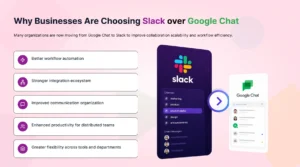
Why Businesses Are Choosing Slack Over Google Chat
Many organizations are now moving from Google Chat to Slack to improve collaboration scalability and workflow efficiency.
The main reasons include:
- Better workflow automation
- Stronger integration ecosystem
- Improved communication organization
- Enhanced productivity for distributed teams
- Greater flexibility across tools and departments
As remote work grows more operationally complex, businesses need communication systems that do more than messaging.
Google Chat Migration to Slack: What Businesses Should Know
One of the biggest concerns during Google Chat migration is preserving communication history and context.
Businesses often worry about:
- Losing chat history
- Missing files
- Broken conversation threads
- Incorrect user mapping
Without a structured migration process, switching platforms can disrupt productivity.
How Move to Slack Simplifies Google Chat Migration
Move to Slack helps businesses securely migrate from Google Chat to Slack without losing important communication data.
The platform automates the migration of:
- Messages and conversations
- Files and attachments
- Users and permissions
- Channels and communication structure
It also preserves timestamps, threads, and organizational context, ensuring teams can continue collaborating smoothly after migration.
For remote teams, this reduces downtime and eliminates the risks associated with manual migration processes.
Conclusion
The debate around Google Chat vs Slack ultimately comes down to how your organization works.
Google Chat is effective for simple collaboration within the Google ecosystem. But for remote teams managing multiple workflows, integrations, and operational processes, Slack delivers greater flexibility, automation, and scalability.
As businesses continue evolving toward AI-driven and distributed work environments, Slack’s ecosystem makes it a stronger long-term collaboration platform.
And with Move to Slack, businesses can transition from Google Chat to Slack securely while preserving every conversation, file, and workflow.
Frequently Asked Questions
Slack is generally better for remote teams because it offers stronger integrations, workflow automation, and communication organization.
Yes, businesses can securely migrate messages, files, users, and channels using migration tools like Move to Slack.
Google Chat is included within Google Workspace plans, while Slack offers better separate pricing tiers based on features.
Businesses often switch for better automation, integrations, scalability, and workflow flexibility.
Yes, Slack supports advanced no-code workflow automation through Workflow Builder and integrations.