
Migrating from Microsoft Teams to Slack is no longer just a platform switch; it’s a strategic move toward better collaboration, workflow automation, integrations, and scalable communication. However, many organizations underestimate the complexity of a successful Teams to Slack migration, leading to lost messages, broken workflows, permission issues, and disrupted productivity.
As businesses increasingly adopt Slack for its automation capabilities, AI-powered workflows, and flexible integrations, the demand for reliable Slack migration tools continues to grow. But even with the right platform, migration mistakes can create long-term operational problems if not handled properly.
In this guide, we’ll cover the 5 biggest mistakes companies make during a Teams to Slack migration, how to avoid them, and what businesses should do to ensure a secure and seamless transition.
Why Businesses Are Moving from Microsoft Teams to Slack
Many organizations are moving away from Microsoft Teams because they want more flexibility, simpler collaboration, and stronger integration ecosystems. While Microsoft Teams features work well within the Microsoft ecosystem, many businesses prefer Slack’s open integrations, workflow automation, and intuitive communication structure.
Slack allows organizations to centralize collaboration, automate repetitive work, and connect multiple business tools inside one workspace. This creates a more agile and productivity-focused environment for modern teams.
As remote and hybrid work environments continue growing in 2026, businesses are prioritizing communication platforms that improve operational efficiency instead of adding complexity.
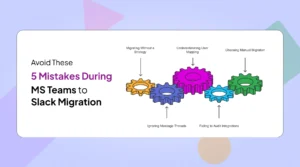
Mistake #1: Migrating Without a Proper Migration Strategy
One of the biggest Teams to Slack migration mistakes is starting the migration process without a clear roadmap. Many businesses focus only on moving messages while ignoring channel structures, permissions, integrations, governance policies, and workflow continuity.
Without proper planning, organizations often experience:
Before migrating, businesses should identify which Teams data must be retained, which users require access, and how workflows will function inside Slack.
A structured migration plan helps organizations reduce downtime, maintain collaboration continuity, and avoid unnecessary operational risks.
Mistake #2: Ignoring Message Threads and File Relationships
Conversations are more than standalone messages. Modern collaboration platforms rely heavily on threaded discussions, shared files, approvals, and contextual communication.
One major migration mistake is transferring messages without preserving:
When this context is lost, teams struggle to understand previous discussions, project decisions, and collaboration history.
A reliable Slack migration tool should preserve threaded conversations and maintain file associations during migration. This ensures employees can continue working seamlessly inside Slack without losing important business context.
Mistake #3: Underestimating User and Permission Mapping
User mapping is one of the most overlooked parts of Teams to Slack migration. If permissions, ownership, or user identities are mapped incorrectly, businesses can face security risks and collaboration disruptions.
Common issues include:
Proper user mapping ensures every employee retains the correct access level after migration. It also helps organizations maintain governance, compliance, and collaboration accuracy across departments.
This becomes especially important for enterprises handling sensitive internal communication and operational data.
Mistake #4: Failing to Audit Integrations and Workflows
Many companies use Microsoft Teams alongside CRMs, productivity apps, automation platforms, and internal workflows. During migration, businesses often forget to review how these integrations will function inside Slack.
This creates workflow gaps that affect productivity after migration.
Before migrating, organizations should audit:
One of Slack’s biggest advantages is its extensive Slack integration ecosystem. Slack connects with thousands of business applications, allowing teams to rebuild workflows more efficiently than traditional collaboration platforms.
Proper integration planning ensures teams can continue operating without disruption after migration.
Mistake #5: Choosing Manual Migration Over Automated Migration Tools
Manual migration processes are time-consuming, error-prone, and difficult to scale. Businesses attempting manual migrations often encounter:
Automated Slack migration tools eliminate these issues by securely transferring messages, files, channels, permissions, and threads while preserving communication structure.
Modern migration platforms also provide:
- Real-time migration tracking
- Automated user mapping
- Secure data transfer
- Workflow continuity
- Enterprise-grade migration security
Automation significantly reduces migration complexity while improving migration accuracy and speed.
Why Slack is Becoming the Preferred Collaboration Platform
As businesses modernize communication systems, Slack continues emerging as one of the strongest collaboration platforms because of its flexibility, automation, and scalability.
Key Slack features that attract businesses include:
Workflow Automation
Slack helps teams automate approvals, notifications, onboarding, and repetitive business processes to improve operational efficiency.
AI-Powered Collaboration
Slack AI features help teams generate summaries, organize discussions, and streamline productivity using intelligent workflows.
Extensive Integrations
Slack integrates seamlessly with CRM systems, project management platforms, cloud storage tools, and productivity applications.
Organized Communication
Channels, threads, and searchable conversations help businesses manage communication more effectively than traditional messaging systems.
Scalable Collaboration Infrastructure
Slack supports growing businesses with enterprise-grade collaboration, governance controls, and workflow flexibility.
These advantages make Slack a future-ready platform for modern hybrid and remote teams.
How Move to Slack Simplifies Teams to Slack Migration
Migrating communication platforms should not disrupt business operations. Move to Slack helps organizations securely transition from Microsoft Teams to Slack while preserving communication history and workflow continuity.
The platform supports:
Message migration
Securely transfers complete Microsoft Teams chat history to Slack while preserving communication context.
File transfers
Moves documents, attachments, and shared files without losing accessibility or organization.
User mapping
Accurately maps users, permissions, and ownership structures for secure collaboration continuity.
Channel migration
Preserves Teams channel hierarchy and conversation structure inside Slack.
Thread preservation
Maintains threaded conversations to keep discussions organized and searchable.
Real-time migration tracking
Provides live migration visibility for better operational control and monitoring.
This allows organizations to migrate confidently without risking data loss or workflow disruption.
Best Practices for a Successful Teams to Slack Migration
To ensure a smooth migration process, businesses should:
Following these best practices helps organizations maximize the value of Slack while minimizing operational disruption.
Conclusion
A successful Teams to Slack migration requires more than simply transferring messages. Businesses must preserve communication context, maintain workflows, secure permissions, and ensure operational continuity throughout the migration process.
By avoiding common migration mistakes and using a reliable Slack migration tool, organizations can transition to Slack securely and efficiently while unlocking better automation, integrations, and collaboration capabilities.
For businesses planning to migrate from Microsoft Teams to Slack, Move to Slack provides a secure and automated migration solution that preserves conversations, files, channels, users, and workflow continuity without disruption.