
Slackbot is an AI assistant that enhances team productivity by providing quick access to information, guidance on Slack features, and task management capabilities. Users can ask Slackbot questions to streamline workflows, find channel details, and set reminders. This guide outlines how to effectively use Slackbot, including steps for setting up scheduled messages to ensure important tasks are not overlooked. By leveraging Slackbot's features, teams can save time and improve collaboration, making daily communication more organized. For businesses transitioning to Slack from other platforms, assistance is available to facilitate a smooth migration.
Slackbot is Slack’s AI-powered assistant designed to help teams find information, get answers, navigate Slack features, and manage everyday tasks more efficiently. Instead of spending time searching through conversations or figuring out how to complete an action, users can ask Slackbot questions and get relevant guidance.
As teams handle more conversations and tasks across Slack, having an assistant that helps them access information faster can make daily workflows smoother. By connecting with Slackbot, teams can simplify routine activities, find channel information, and stay on top of important tasks with reminders and scheduled messages. Understanding how to use these capabilities can help teams save time and improve collaboration.
In this guide, we will walk through how to use Slackbot and set up scheduled reminders to make your daily work more efficient.
How to Use Slackbot to Improve Team Productivity
Slackbot can help you find information, understand how Slack features work, check channel details, and manage reminders. Follow these steps to explore its features and set up a scheduled message for your team.
Step 1: Login to Salesforce
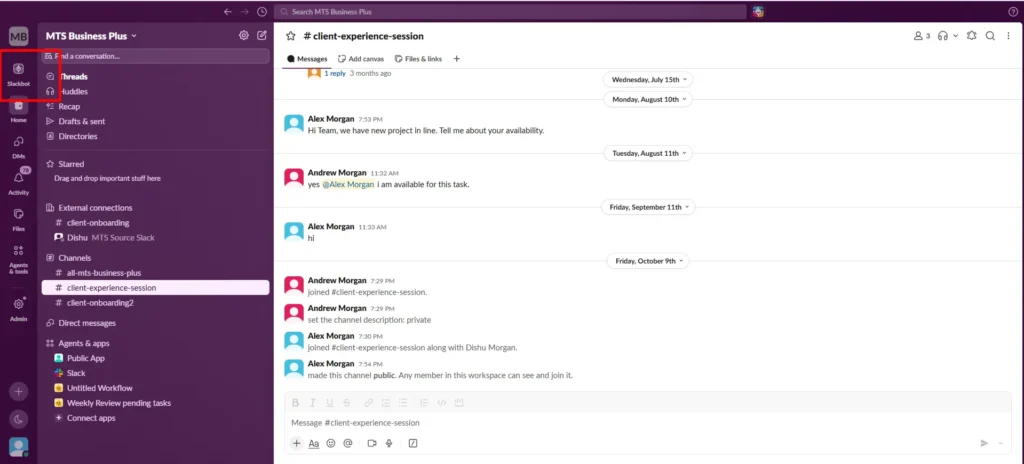
- Open Slack and select Slackbot.
- Search for any information you need.
Step 2: Ask Slackbot How to Use Slack
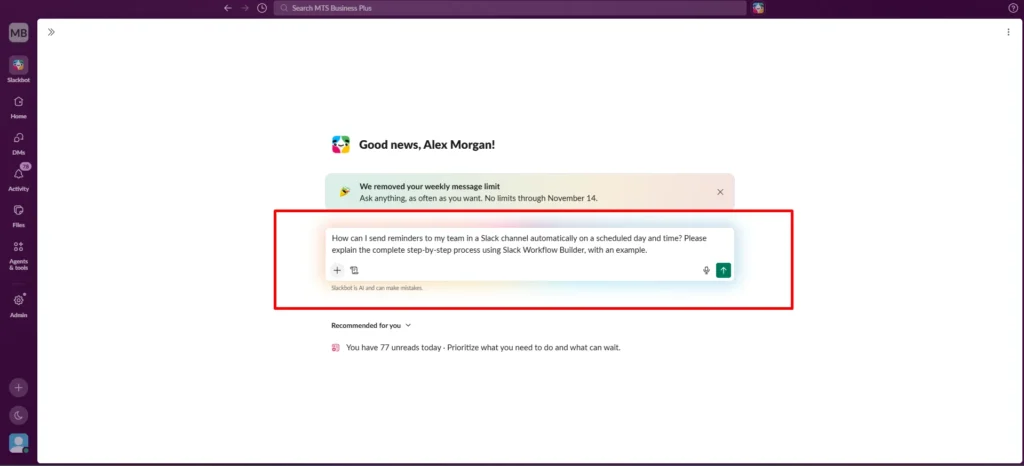
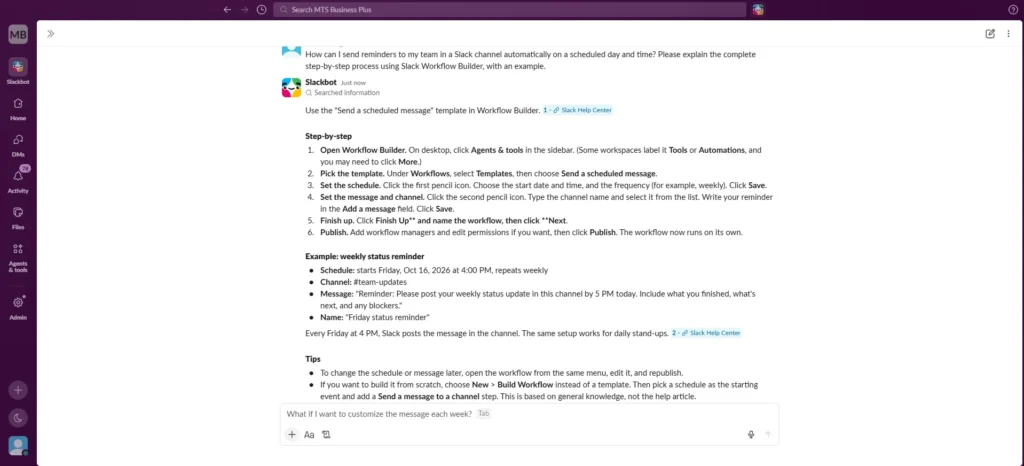
- Ask Slackbot how to perform a specific task in Slack.
- Follow the step-by-step instructions it provides to complete the process.
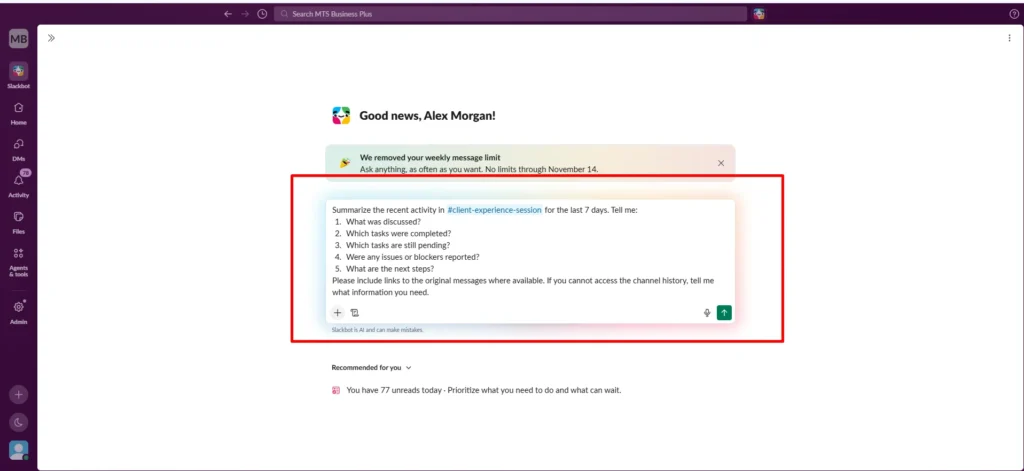
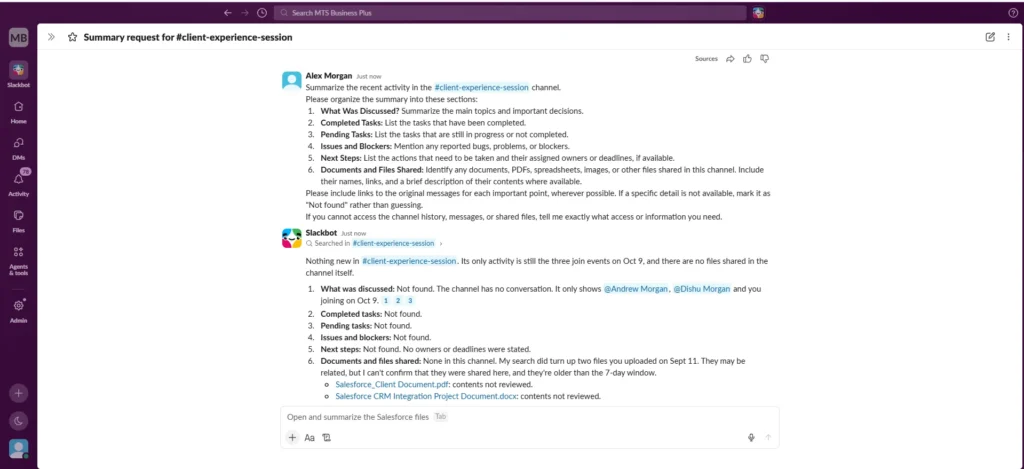
Step 3: Find Channel Information
- Ask Slackbot for details about a specific channel.
- Find out how many documents a channel contains by asking about its available content.
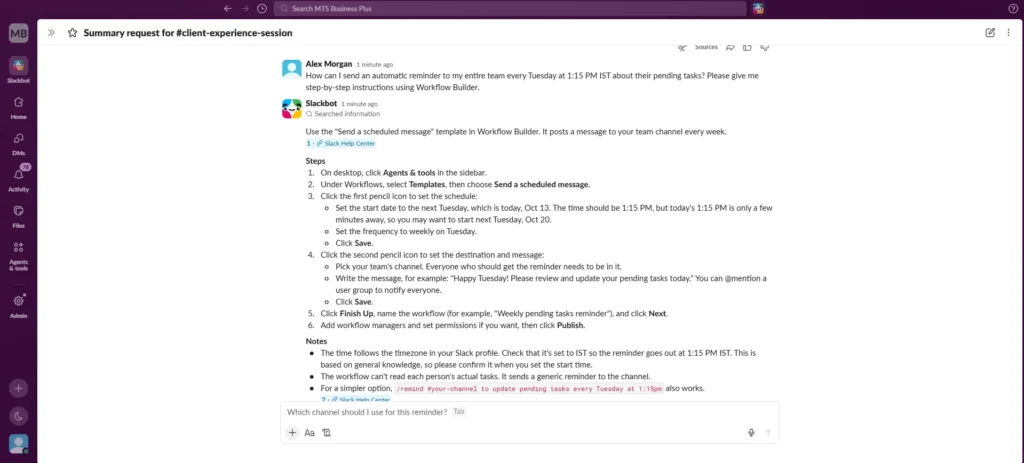
Step 4: Set a Reminder Using Slackbot
- Ask Slackbot to help you set a reminder related to a task in Slack.
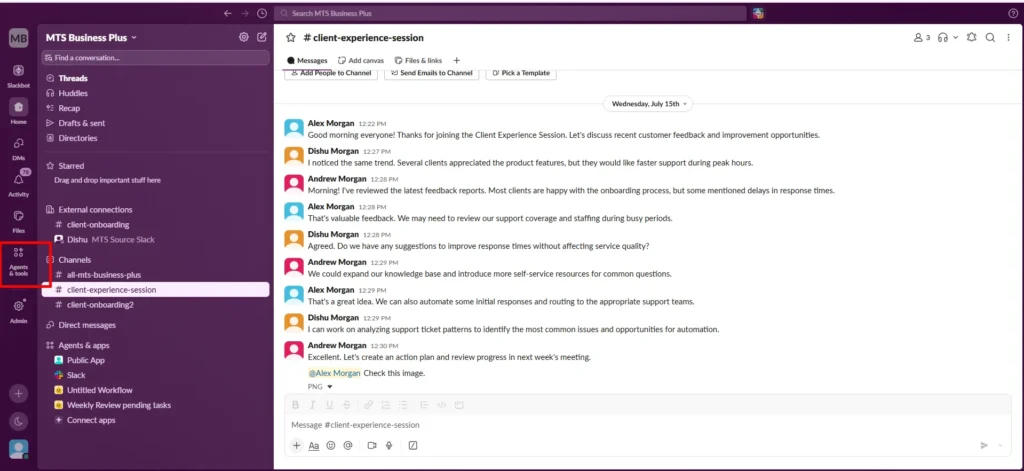
Step 5: Open the Scheduled Message Workflow
- Open Slack on your desktop.
- Click Agents & tools in the sidebar.
- Click Templates under Workflows.
- Select Send a scheduled message from the available options.
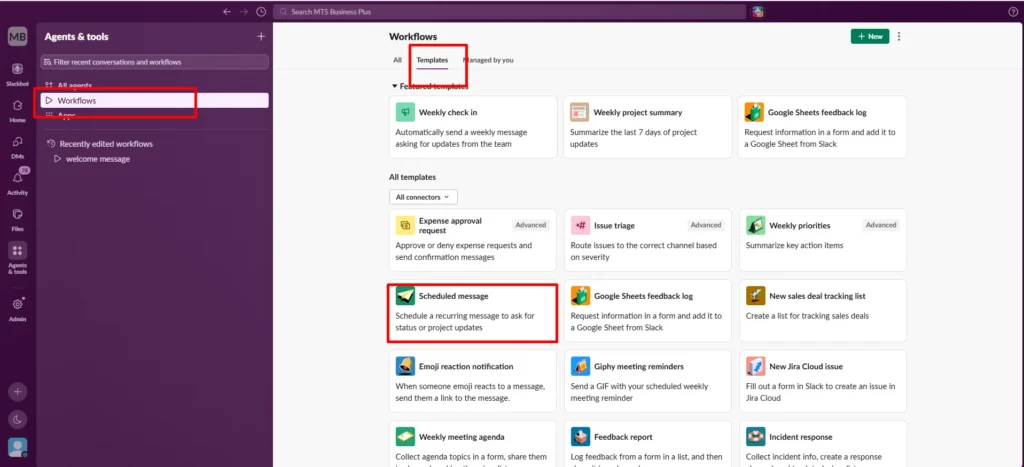
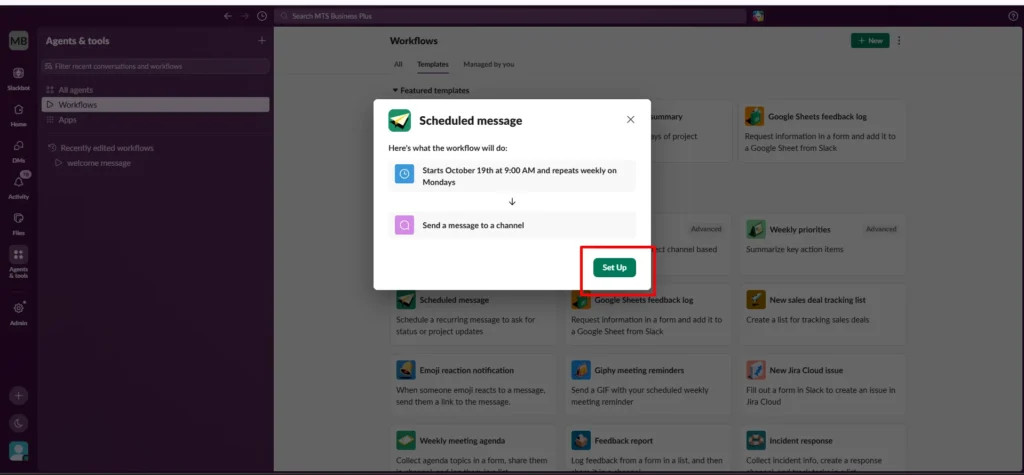
Step 6: Configure the Schedule
- Click Set Up to open the workflow editor.
- Click the schedule step (clock icon).
- Choose the start date. Here, I am selecting October 13, 2026.
- Select the start time. Here, I am selecting 1:30 PM.
- Select Weekly on Tuesday from the available options.
- Click Save.
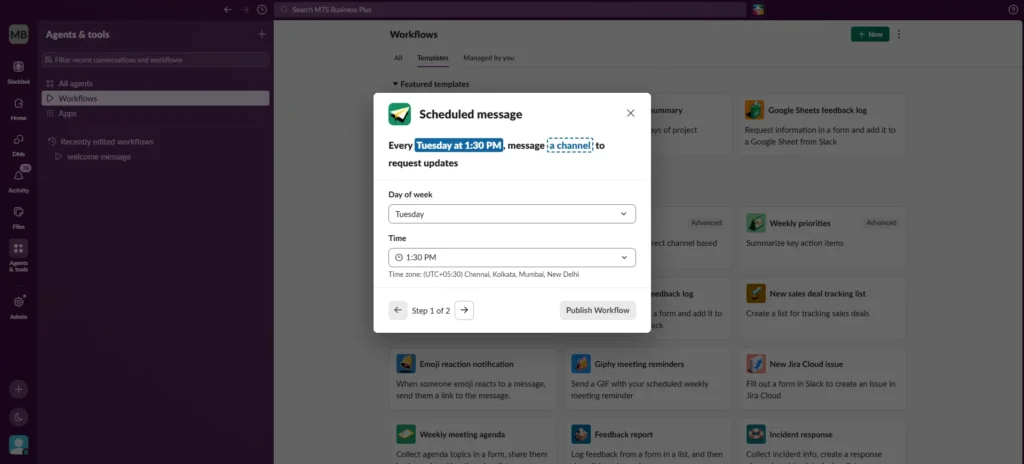
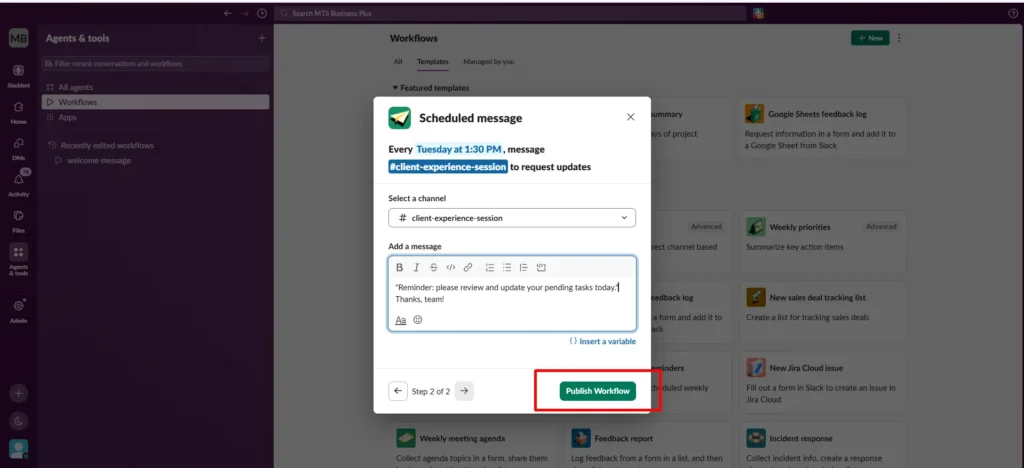
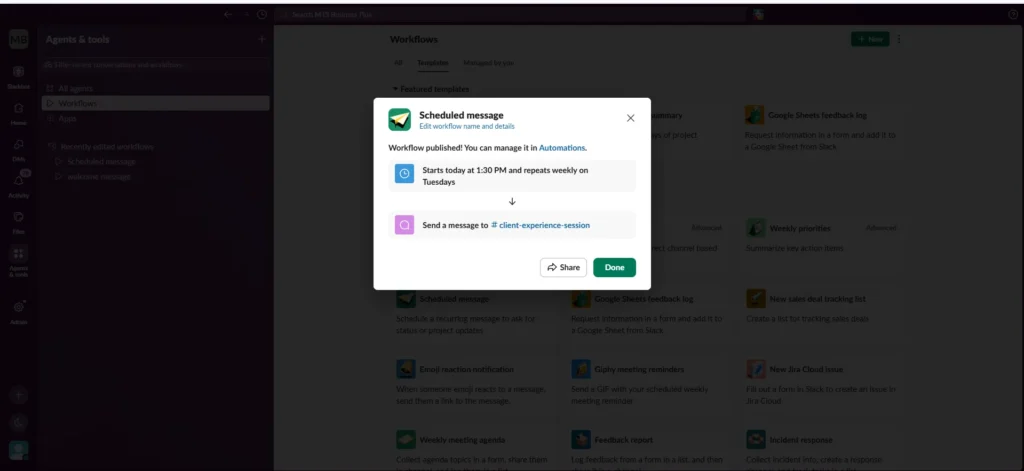
Step 7: Configure and Publish the Message
- Click Send a message to a channel.
- Select your team’s channel from the available options.
- Enter the reminder message.
- Click Save.
- Click Finish Up.
- Enter a workflow name.
- Click Publish to activate the workflow.
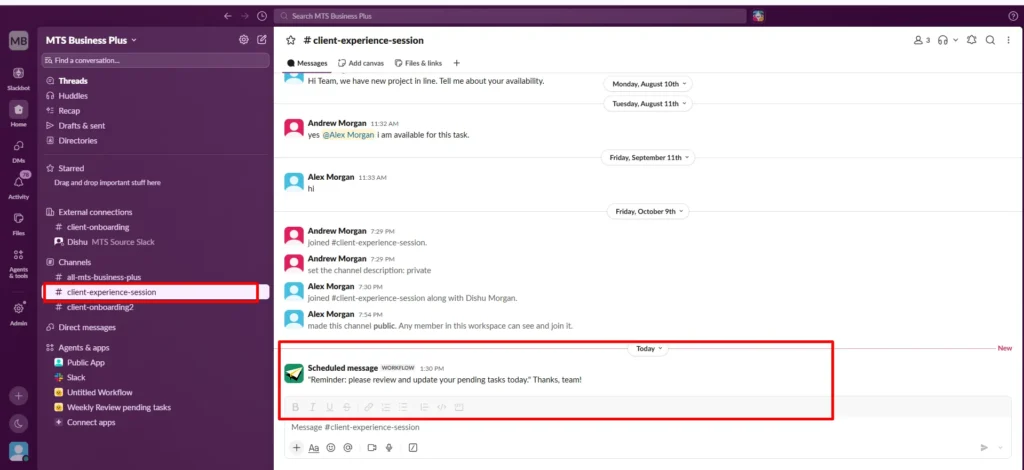
Step 8: Receive the Scheduled Reminder
- Once the workflow is published, you will receive the reminder in the selected channel at the scheduled date and time.
Conclusion
Using Slackbot and scheduled workflows can help teams reduce the time spent on repetitive activities and keep important tasks visible. Whether you need quick answers, channel information, or timely reminders, these features can make everyday communication more organized and help teams stay on track.
If your business is planning to move to Slack from Google Chat or Microsoft Teams, the right migration approach can make the transition easier. At Move to Slack, we help simplify your Slack migration process so your team can transition with greater confidence. Book a call with our team to discuss your migration requirements and plan your next steps.
Frequently Asked Questions
Slackbot reduces time spent searching conversations, finding information, learning workflows, and managing routine tasks, helping teams work more efficiently.
Yes, Slackbot can provide step-by-step guidance on using Slack features, helping users understand workflows and complete tasks more easily.
Slackbot helps teams access information, understand features, and manage routine activities, while scheduled workflows support consistent communication and timely reminders.
Businesses can migrate to Slack by planning their Slack migration process, reviewing existing data, mapping channels and users, and coordinating the transition to minimize disruption.
Slackbot helps employees access relevant information and answers, reducing the time spent searching through Slack conversations and navigating features.