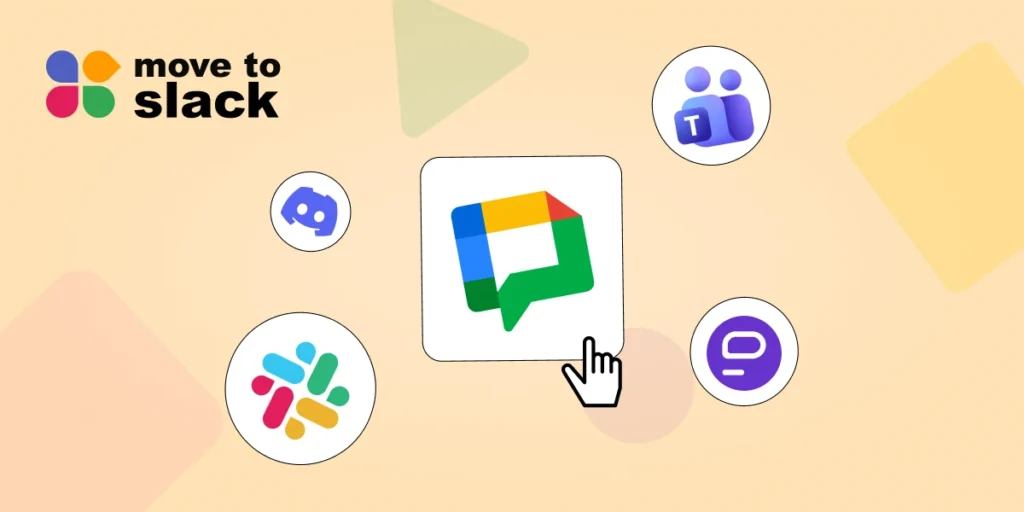
Google Chat works well for teams already using Google Workspace, but many businesses need more flexibility, stronger integrations, advanced collaboration features, or better communication tools.
That’s why many organizations are actively looking for Google Chat alternatives that can support growing teams and complex workflows.
The right team communication app can improve collaboration, reduce response times, and help employees stay connected whether they work remotely, in the office, or in a hybrid environment.
In this guide, we’ll explore the best Google Chat alternatives available in 2026, compare their key features, and help you choose the right platform for your business.
Top 5 Google Chat Alternatives for Modern Teams
When evaluating Google Chat alternatives, it’s important to consider messaging capabilities, integrations, security, voice and video features, and overall ease of use. Below are five platforms that stand out in 2026.
1. Slack
Slack remains one of the most popular Google Chat alternatives for businesses of all sizes.
As a leading team communication app, Slack organizes conversations into channels, making it easier to keep discussions focused and searchable. Teams can create channels for projects, departments, customers, or specific initiatives.
Core Features
- Channel-based conversations
- Huddles for quick audio and video collaboration
- Workflow automation without coding
- AI-powered summaries and search
- Integrations with thousands of business tools
- Slack Connect for external collaboration
One reason Slack is often considered the best team chat app is its extensive integration ecosystem. Businesses can connect tools such as Jira, Salesforce, Google Drive, Asana, Zoom, and many more directly within Slack.
Pricing
- Free plan available
- Pro plan starts at $7.25 per active user/month when billed annually
For organizations looking for Google Chat alternatives that can scale with business growth, Slack is often the first choice.
2. Microsoft Teams
Microsoft Teams is another strong option among Google Chat alternatives, especially for companies already using Microsoft 365.
This team communication app combines messaging, meetings, file sharing, collaboration, and productivity tools in a single platform. Teams can collaborate on documents without leaving the workspace, helping improve efficiency.
Core Features
- Team and department workspaces
- Video conferencing and meetings
- Integrated file sharing
- Microsoft 365 collaboration
- Shared calendars and scheduling
- Enterprise-grade security controls
Many large organizations prefer Teams because it functions as both a team chat app and a productivity hub.
Pricing
- Free version available
- Microsoft 365 Business Basic starts at approximately $4.00 per user/month (annual billing)
For enterprises seeking Google Chat alternatives with strong document collaboration, Microsoft Teams remains a leading choice.
3. Discord
Discord has evolved far beyond gaming communities and is now being adopted by startups, creative agencies, and distributed teams.
Unlike traditional group chat apps, Discord focuses on persistent voice communication. Team members can jump into voice channels instantly without scheduling meetings.
- Always-on voice channels
- Text and video communication
- Community and workspace management
- Screen sharing
- Custom permissions
- Server-based organization
Discord is particularly useful for teams that want a more informal communication environment while still maintaining structure.
- Free plan available
- Discord Nitro starts at around $9.99/month
Among modern group chat apps, Discord stands out for real-time communication and community-building features.
4. Element
Element is one of the most secure Google Chat alternatives available today.
Built on the open Matrix protocol, Element gives organizations full control over their communications. Businesses can self-host the platform and maintain complete ownership of their data.
- End-to-end encryption
- Secure messaging
- Voice and video calls
- Open-source architecture
- Self-hosting capabilities
- Cross-platform communication
Organizations with strict compliance requirements often choose Element over other Google Chat alternatives because of its security-first approach.
Pricing
- Free community version available
- Enterprise pricing available based on business requirements
If security and data ownership are priorities, Element is an excellent team communication app for enterprise use.
5. Pumble
Pumble is one of the fastest-growing Google Chat alternatives for startups and small businesses.
It delivers many of the features found in premium collaboration tools while maintaining a highly competitive pricing structure.
Core Features
- Unlimited message history
- Channels and direct messaging
- File sharing
- Threads and reactions
- Voice and video communication
- Team collaboration tools
For businesses searching for affordable group chat apps, Pumble offers impressive value.
Pricing
- Free plan available
- Pro plan starts at $2.49 per seat/month when billed annually
Pumble is an ideal team chat app for organizations that need collaboration features without a large software budget.
Which Is the Best Team Communication App?
Choosing the best team communication app depends on your team’s size, workflows, and collaboration needs.
However, if you’re looking for the strongest balance of messaging, integrations, automation, collaboration, and scalability, Slack stands out as the overall winner.
Slack combines the simplicity of a team chat app with the power of a modern digital workplace. It supports thousands of integrations, advanced workflows, AI-powered productivity features, and seamless collaboration across departments.
For organizations planning long-term growth, Slack remains one of the most reliable Google Chat alternatives available today.
Best Tool to Migrate to Slack
Once you’ve selected Slack as your preferred platform, the next challenge is moving your existing data, channels, files, and users without disruption.
This is where Move to Slack can help.
Move to Slack is an advanced solution that specializes in helping organizations migrate from various communication platforms to Slack efficiently and securely. Whether you’re moving from Google Chat, Microsoft Teams, Discord, or another platform, their migration experts help simplify the entire process.
Why Choose Move to Slack?
- Structured migration planning
- Secure data transfer
- Channel and conversation migration
- User onboarding support
- Reduced downtime during migration
- Expert guidance throughout the process
If you’re planning a migration project and want a smooth transition, Get Expert Guidance on Slack Integration with the Move to Slack team to discuss your requirements and migration goals.
Conclusion
As businesses continue to adopt flexible work models, choosing the right communication platform becomes increasingly important.
The best Google Chat alternatives in 2026 include Slack, Microsoft Teams, Discord, Element, and Pumble. Each platform offers unique strengths, from enterprise collaboration and security to community-driven communication and budget-friendly options.
If you’re searching for a powerful team communication app that combines collaboration, automation, integrations, and scalability, Slack remains a top choice. And when you’re ready to make the switch, Move to Slack can help ensure a seamless migration experience.
Frequently Asked Questions
Yes, Slack is one of the best Google Chat replacements, offering advanced integrations, workflow automation, AI-powered features, and organized channel-based communication.
Microsoft Teams provides messaging, video conferencing, document collaboration, and Microsoft 365 integration, making it a strong choice for businesses already using Microsoft's ecosystem.
Yes, platforms like Slack, Discord, Element, and Pumble offer free plans with essential communication and collaboration features for small teams.
Yes, many startups, creative agencies, and remote teams use Discord for text, voice, and video communication, along with community and workspace management.
Businesses can migrate from Google Chat to Slack using dedicated migration services that help transfer channels, conversations, files, and users securely with minimal downtime.