Ready to Move?
MS Teams Connected App - Move to Slack

MS Teams Connected App

Follow these steps to register your Azure application and configure OAuth credentials for a smooth migration to Slack.

A Admin Permissions P Public Permissions
Setup

Azure App Registration — 8 Steps

8 steps · ~10 min
1
Step 1
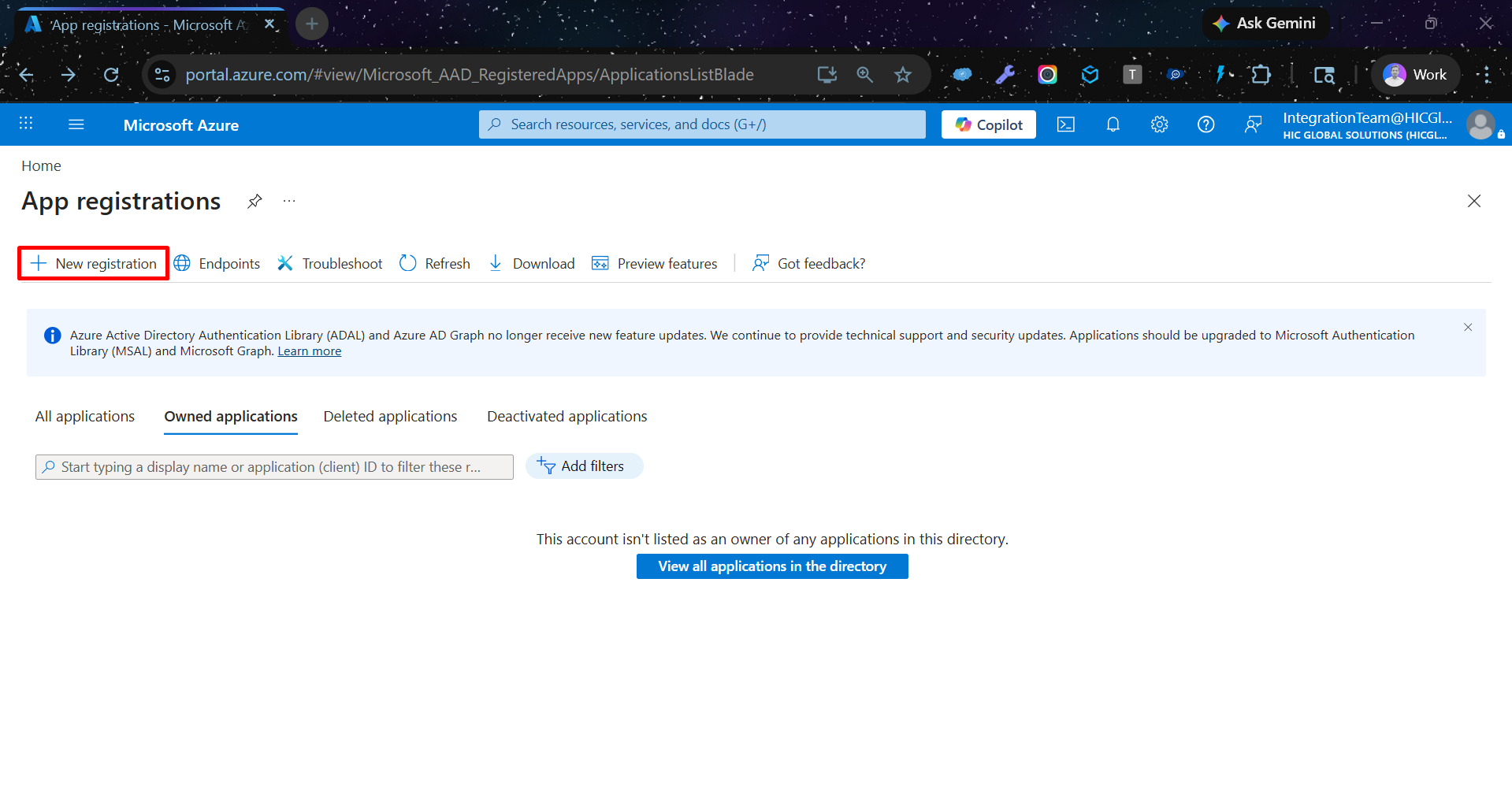
Login to Azure Portal, then navigate to App Registrations

In the Azure services section, click on App registrations. If you don't see it, search for it in the top search bar.
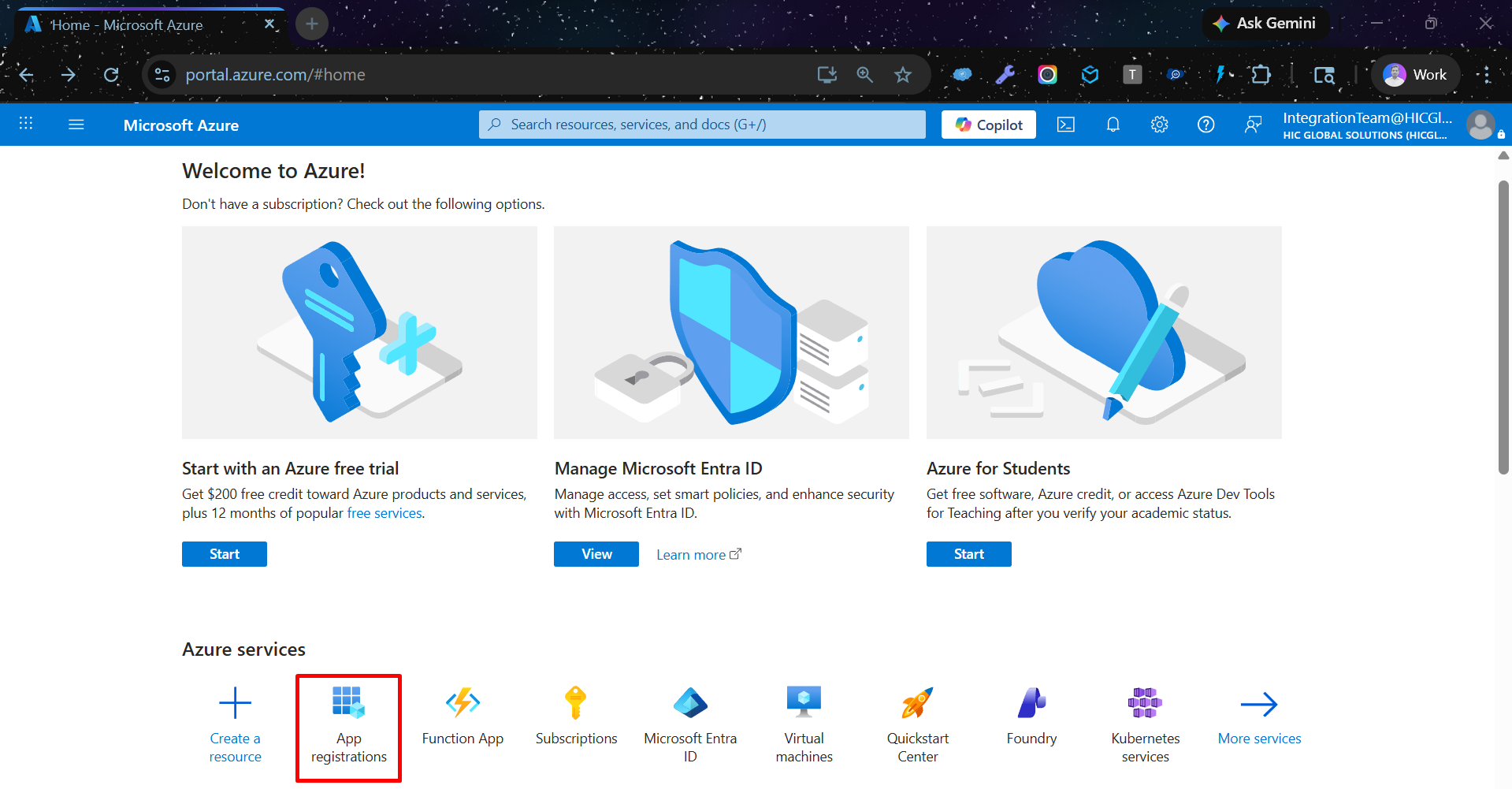
Navigate to App Registrations
2
Step 2
Click + New registration at the top of the page
New registration
3
Step 3
Fill in the App Registration Form
  1. Type your app name
  2. Click on the circle next to "Multiple Entra ID tenants" to select it
  3. Click on "Allow only certain tenants (Preview)" circle
  4. Select a platform (Redirect URI)
  5. Check the box for "By proceeding, you agree to the Microsoft Platform Policies", then click the Register button at the bottom
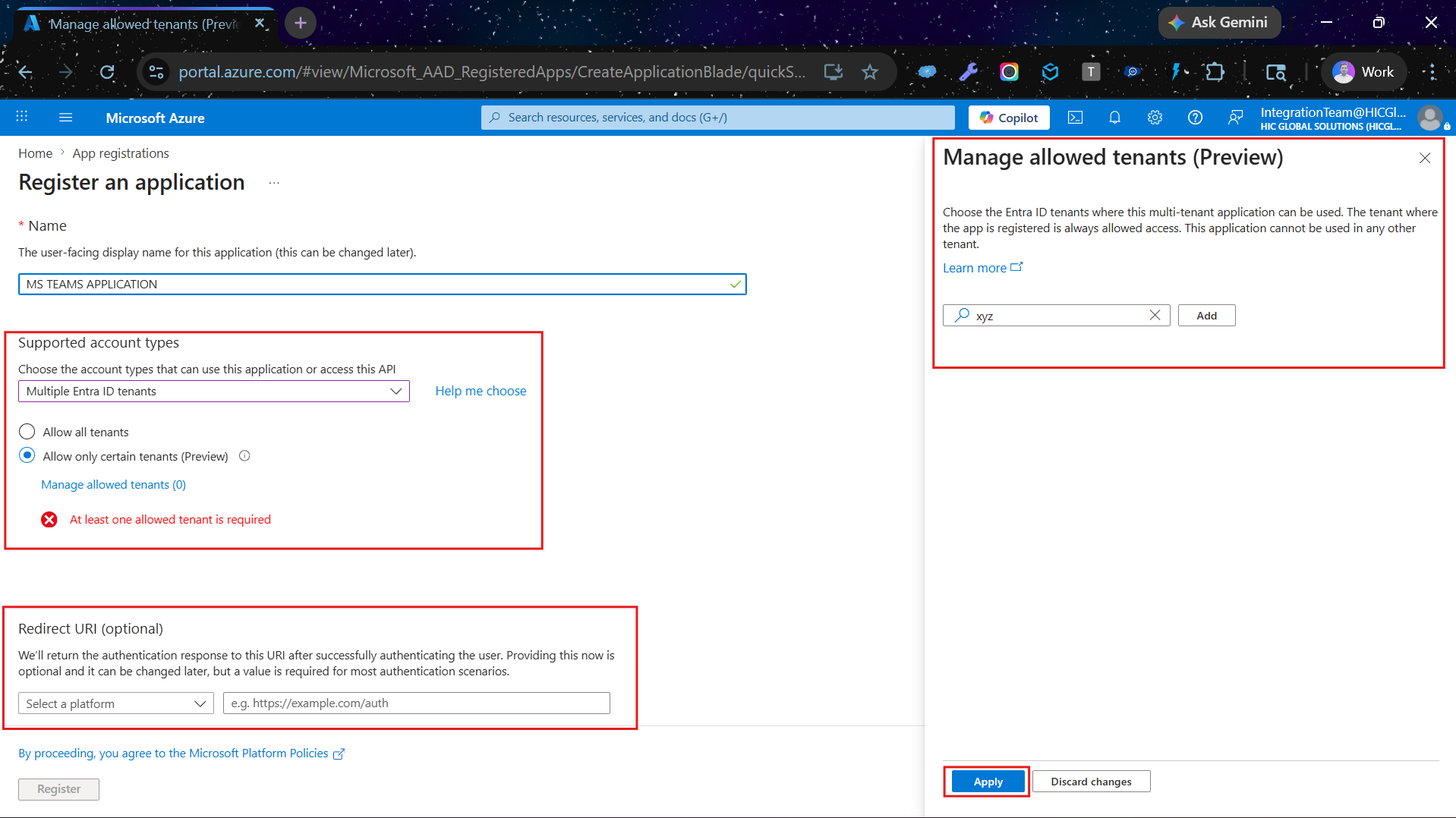
App Registration Form
4
Step 4
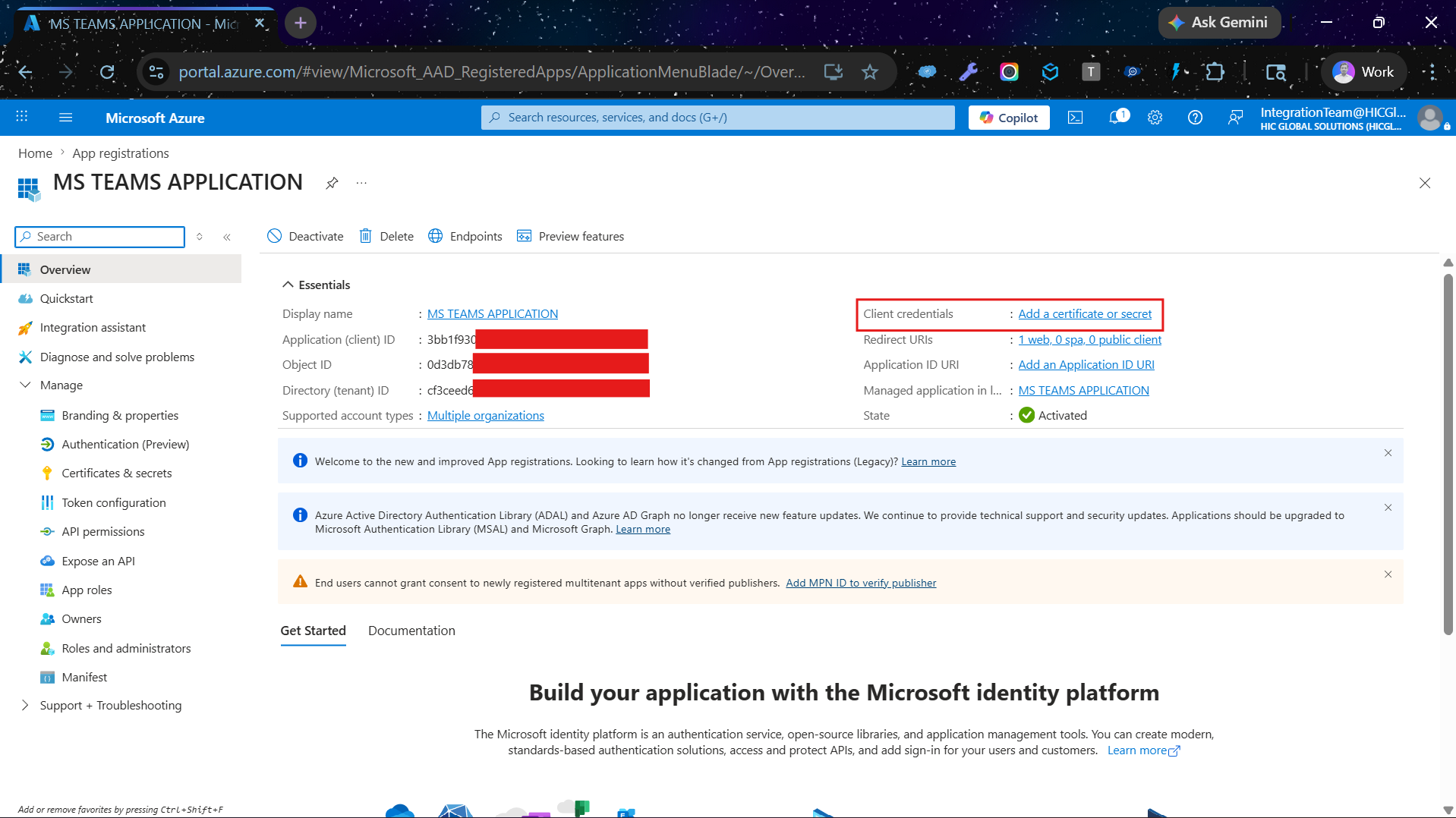
Click on Client Credentials, then click "Add a certificate or secret"
Client Credentials
5
Step 5
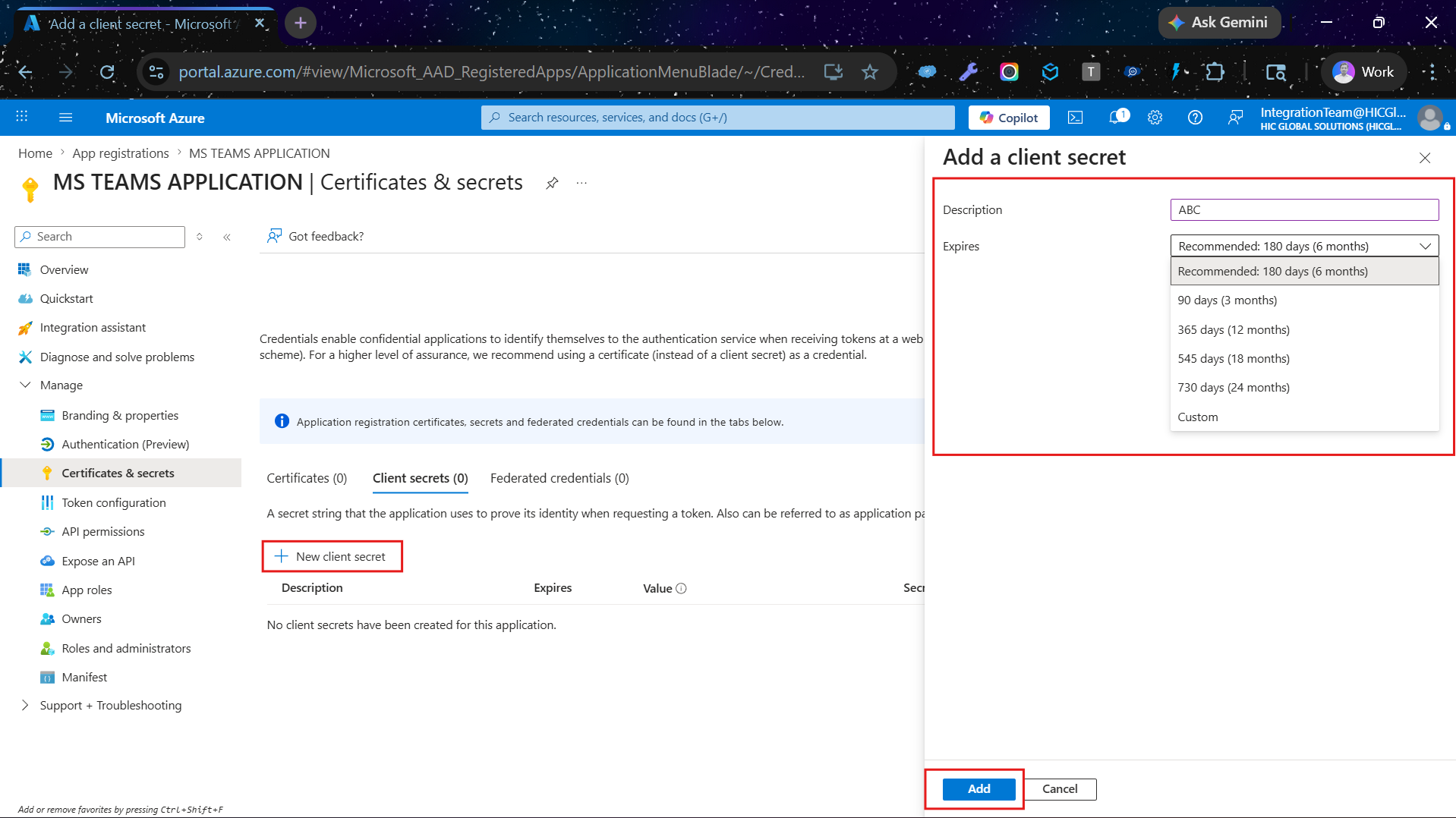
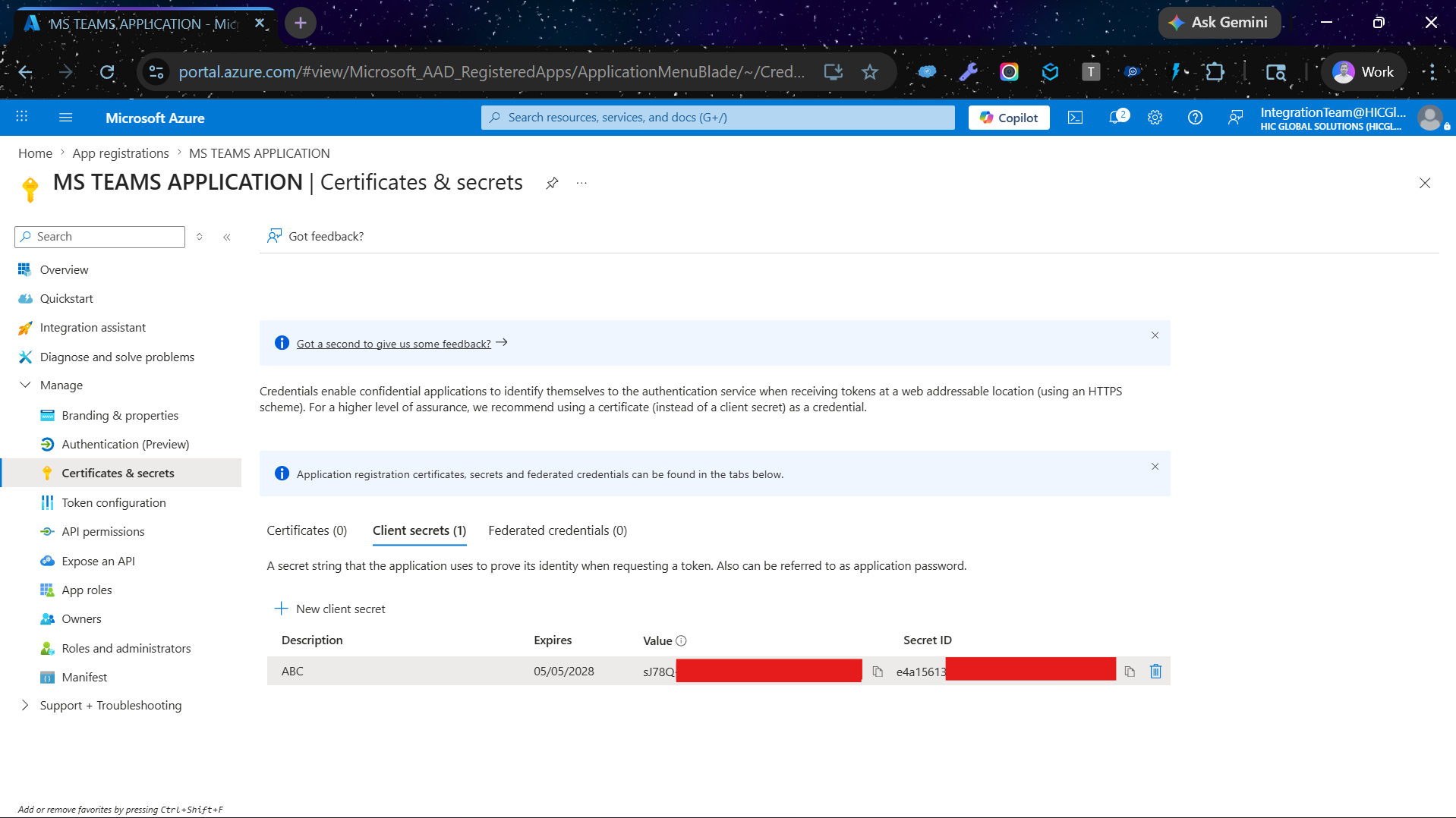
Click "New client secret", then add the Client Secret
New client secret Add client secret
Important: Before moving to any next steps, you must copy the secret value immediately — it is shown only once.
6
Step 6
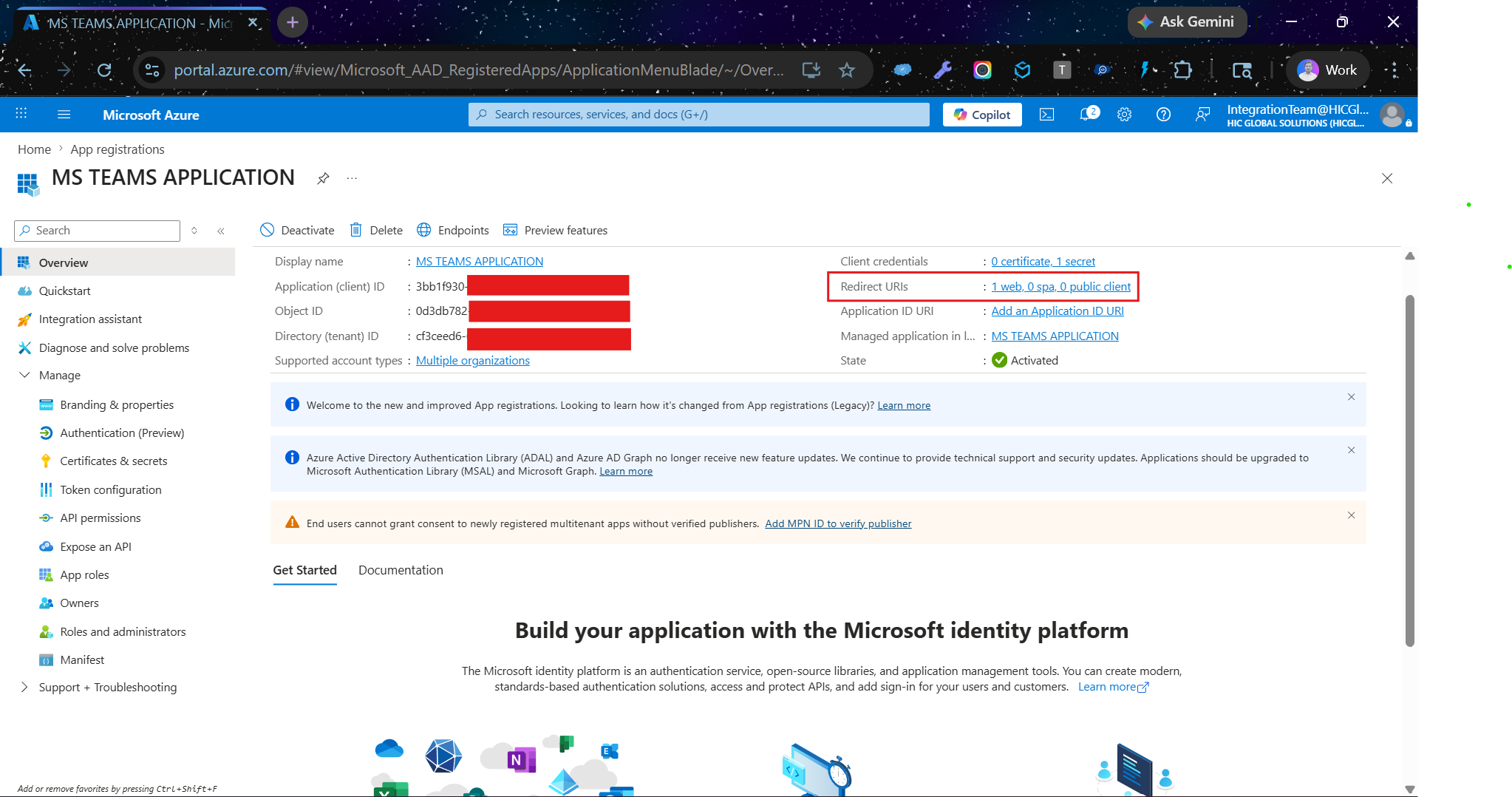
Click on Redirect URIs
Redirect URIs
7
Step 7
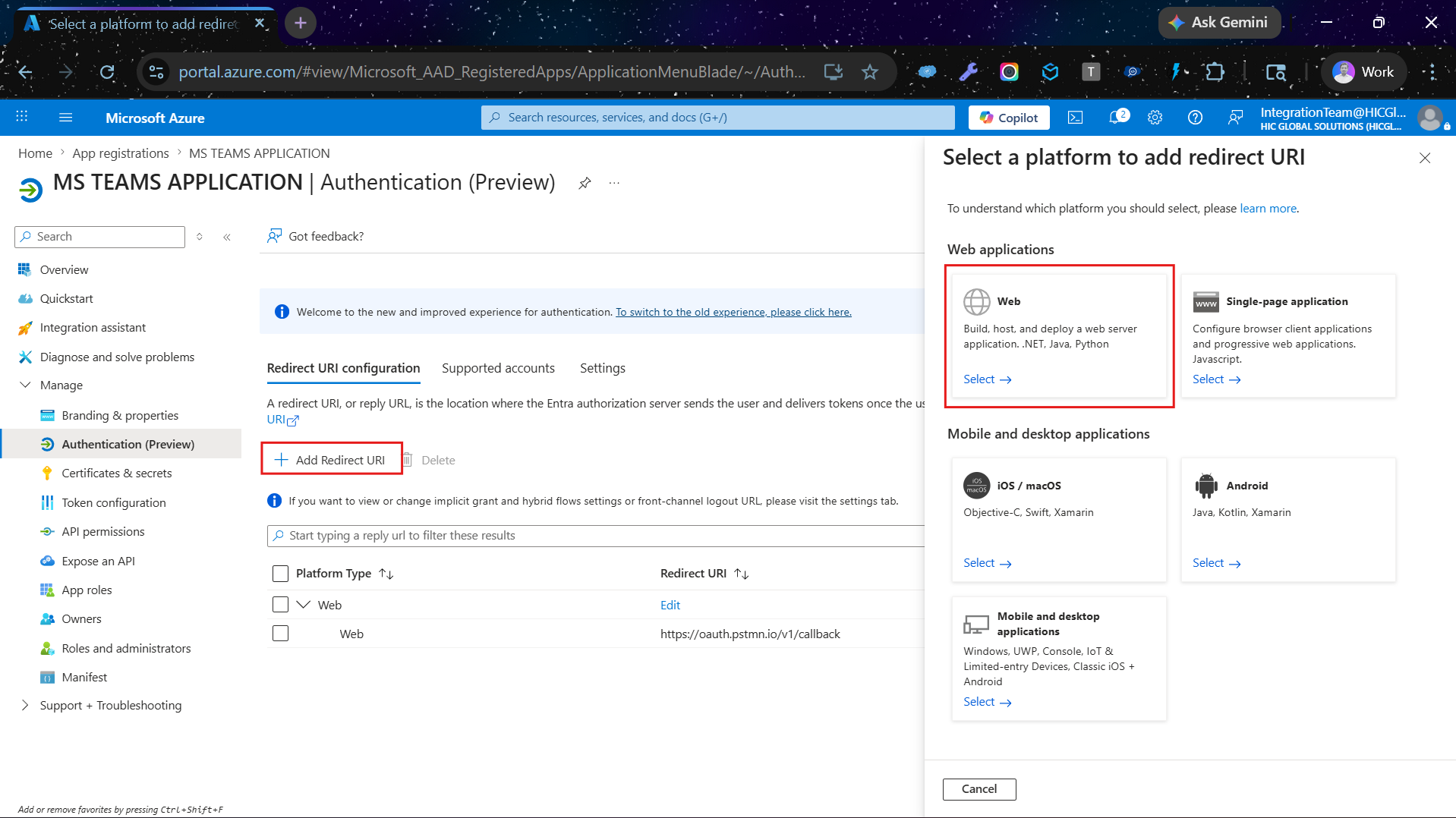
Click + Add Redirect URI, then select Web
Add Redirect URI
8
Step 8
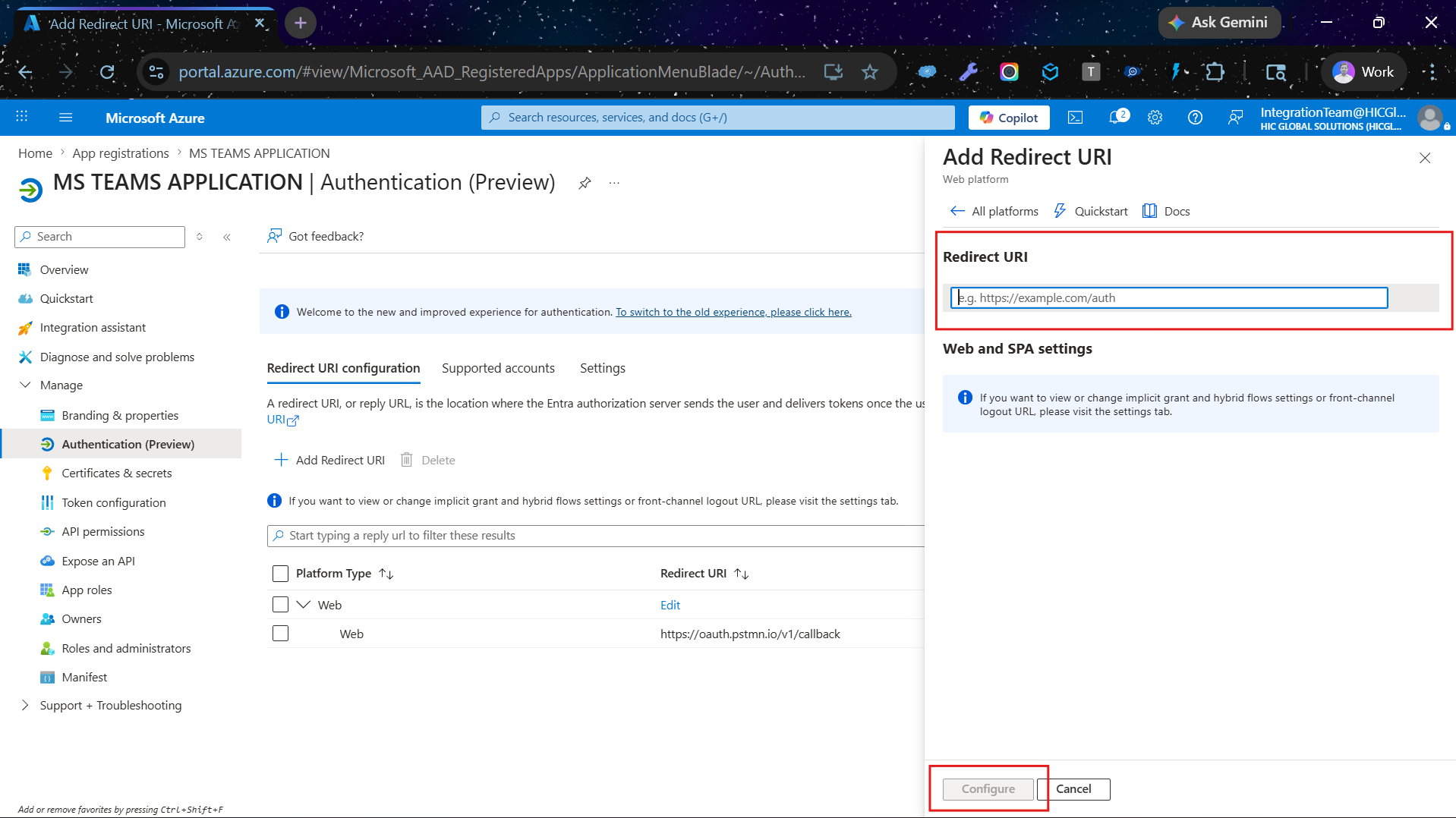
Add the Redirect URI, then click the Configure button
Configure Redirect URI
After clicking the Configure button, your Connected App has been successfully created.
Admins

Admin Permissions

Admin Permissions

API / Permission Name Type Admin Consent Consent Type Purpose / Usage Required For
ChannelMessage.Read.All Application Yes Admin Read all channel messages (org-wide) Chat Migration
Chat.Read.All Application Yes Admin Read all chats Chat Migration
User.Read.All Application Yes Admin Read all users (org-wide) User Migration
User.ReadBasic.All Application Yes Admin Read basic user info User Migration
User.ReadWrite.All Application Yes Admin Modify user profiles User Migration
Public

Public Permissions

Public Permissions

API / Permission Name Type Admin Consent Consent Type Purpose / Usage Required For
Application.Read.AllDelegatedYesAdminRead Azure app registrationsIntegration Setup
Application.ReadWrite.AllDelegatedYesAdminCreate/update app registrationsIntegration Setup
Channel.CreateDelegatedYesAdminCreate Teams channelsTeams Migration
Channel.Delete.AllDelegatedYesAdminDelete channelsTeams Migration
Channel.ReadBasic.AllDelegatedNoUserRead channel names/descriptionsTeams Migration
ChannelMember.Read.AllDelegatedYesAdminRead channel membersTeams Migration
ChannelMember.ReadWrite.AllDelegatedYesAdminAdd/remove channel membersTeams Migration
ChannelMessage.Read.AllDelegatedYesAdminRead user channel messagesChat Migration
ChannelMessage.ReadWriteDelegatedYesAdminRead/write channel messagesChat Migration
ChannelMessage.SendDelegatedNoUserSend messages to channelMessaging
ChannelSettings.Read.AllDelegatedYesAdminRead channel settingsTeams Migration
ChannelSettings.ReadWrite.AllDelegatedYesAdminModify channel settingsTeams Migration
Chat.CreateDelegatedNoUserCreate chatsChat Migration
Chat.ReadDelegatedNoUserRead user chatsChat Migration
Chat.ReadBasicDelegatedNoUserRead chat participantsChat Migration
Chat.ReadWriteDelegatedNoUserRead/write user chatsChat Migration
Chat.ReadWrite.AllDelegatedYesAdminRead/write all chatsChat Migration
ChatMember.ReadDelegatedYesAdminRead chat membersChat Migration
ChatMember.ReadWriteDelegatedYesAdminAdd/remove chat membersChat Migration
ChatMessage.ReadDelegatedNoUserRead chat messagesChat Migration
ChatMessage.SendDelegatedNoUserSend chat messagesMessaging
Directory.Read.AllDelegatedYesAdminRead directory (users/org)User Migration
emailDelegatedNoUserAccess user emailAuthentication
Files.ReadDelegatedNoUserRead user filesFile Migration
Files.Read.AllDelegatedNoUserRead all accessible filesFile Migration
Files.Read.SelectedDelegatedNoUserRead selected filesFile Migration
Files.ReadWriteDelegatedNoUserModify user filesFile Migration
Files.ReadWrite.AllDelegatedNoUserModify all files user can accessFile Migration
Files.ReadWrite.AppFolderDelegatedNoUserAccess app-specific folderFile Migration
Files.ReadWrite.SelectedDelegatedNoUserModify selected filesFile Migration
Files.SelectedOperations.SelectedDelegatedYesAdminAccess selected files with controlFile Migration
Group.Read.AllDelegatedYesAdminRead Teams/GroupsTeams Migration
Group.ReadWrite.AllDelegatedYesAdminManage Teams/GroupsTeams Migration
GroupMember.Read.AllDelegatedYesAdminRead group membersTeams Migration
GroupMember.ReadWrite.AllDelegatedYesAdminManage group membersTeams Migration
GroupSettings.Read.AllDelegatedYesAdminRead group settingsTeams Migration
GroupSettings.ReadWrite.AllDelegatedYesAdminModify group settingsTeams Migration
offline_accessDelegatedNoUserMaintain login session (refresh token)Authentication
profileDelegatedNoUserRead user basic profileAuthentication
Sites.Create.AllDelegatedYesAdminCreate SharePoint sitesFile Migration
Sites.FullControl.AllDelegatedYesAdminFull control of SharePointFile Migration
Sites.Manage.AllDelegatedNoUserManage SharePoint contentFile Migration
Sites.Read.AllDelegatedNoUserRead SharePoint dataFile Migration
Sites.ReadWrite.AllDelegatedNoUserModify SharePoint dataFile Migration
Sites.SelectedDelegatedNoUserAccess selected sitesFile Migration
Team.CreateDelegatedNoUserCreate TeamsTeams Migration
Team.ReadBasic.AllDelegatedNoUserRead Teams infoTeams Migration
TeamMember.Read.AllDelegatedYesAdminRead team membersTeams Migration
TeamMember.ReadWrite.AllDelegatedYesAdminManage team membersTeams Migration
TeamMember.ReadWriteNonOwnerRole.AllDelegatedYesAdminManage non-owner membersTeams Migration
User.ReadDelegatedNoUserLogin + basic profileAuthentication
User.Read.AllDelegatedYesAdminRead all user profilesUser Migration