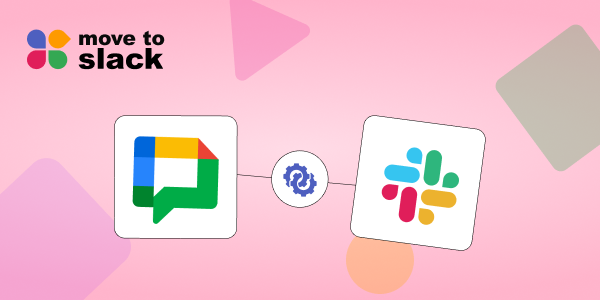
Team communication has changed dramatically over the last few years. What started with Gmail Chat and the Hangouts app has now evolved into modern collaboration platforms designed for speed, scale, and clarity. As organizations grow, many realize that continuing on Google Chat limits collaboration, integrations, and long-term scalability. This is where Google Chat migration to Slack becomes a strategic move rather than a simple platform switch.
To migrate Google Chat data to Slack isn’t just about moving messages. It’s about preserving conversations, improving collaboration, and setting teams up for a more connected future. Let’s explore the seven biggest benefits of Google Chat to Slack migration and why businesses are actively making the move.
1. Preserve Conversations While Modernizing Collaboration
One of the biggest concerns during Google Chat data migration is losing historical conversations. Chat history holds context, decisions, and knowledge that teams rely on daily. When you migrate Google Chat to Slack, conversations can be preserved and organized into structured channels, making information easier to search and reference.
Slack’s channel-based communication turns scattered chats from Google Chat, Gmail chat, and Hangouts app into clearly defined team discussions. This ensures your data remains intact while the collaboration experience improves immediately.
2. Upgrade from Google Chat to a More Powerful Alternative
Many organizations begin their collaboration journey with Google Chat because it’s bundled with Google Workspace. Over time, however, teams outgrow its limitations. Slack is widely recognized as the leading Google Chat alternative due to its flexibility and depth.
Slack collaboration tools such as channels, threads, mentions, and advanced search provide a far more intuitive way to communicate. Migrating Google Chat data to Slack allows teams to retain their past communication while upgrading to a platform designed for modern business communication.
3. Access Industry-Leading Slack Integrations
Another key driver of Google migration is the ecosystem. Google Chat offers limited integrations compared to Slack. Slack integrations connect your communication directly with CRM tools, project management platforms, support systems, and developer tools.
When you move Google Chat data to Slack, your conversations become actionable. Teams can automate workflows, receive alerts, and collaborate directly within Slack without switching tools. This tight integration layer is a major reason Slack outperforms Google Chat in business environments.
4. Improve Team Communication and Transparency
As teams scale, fragmented conversations across private chats become a problem. Slack workspace migration helps centralize communication into shared channels, improving transparency and alignment.
During team communication migration from Google Chat, organizations often restructure conversations into functional or project-based channels. This makes onboarding easier, reduces repeated questions, and keeps everyone aligned. Slack vs Google Chat comparisons consistently highlight Slack’s ability to support cross-team collaboration at scale.
5. Enable Better Search, Discovery, and Knowledge Sharing
Finding old messages in Google Chat or Hangouts app can be frustrating, especially for long-running projects. Slack’s advanced search capabilities transform how teams access information.
After Google Chat to Slack migration, teams can search conversations, files, and links across the entire workspace in seconds. This turns chat history into a searchable knowledge base rather than buried messages, making Slack a powerful tool for long-term knowledge retention.
6. Support Secure and Scalable Business Communication
Security and compliance are critical for growing organizations. Slack for business communication offers enterprise-grade security features, admin controls, and compliance support that many teams need as they scale.
Slack workspace migration ensures communication data is managed centrally, with better visibility and control. Compared to Google Chat, Slack provides stronger governance options, making it a preferred choice for organizations planning long-term growth.
7. Simplify Migration with the Right Slack Migration Tools
The final and most important benefit is that Google Chat migration no longer has to be complex. Modern Slack migration tools now allow organizations to migrate Google Chat data to Slack efficiently and securely.
If you are planning to move Google Chat data to Slack, tools like Move to Slack are designed to automate Google Chat data migration while preserving message history, users, and channels. This removes the manual effort and risk traditionally associated with chat migrations, helping teams transition smoothly without downtime.
Why Google Chat to Slack Migration Is a Smart Long-Term Move
Google Chat served its purpose as a basic communication tool, but today’s teams need more than simple messaging. Slack provides a centralized, integrated, and scalable collaboration environment that supports how modern teams actually work.
Migrating from Google Chat to Slack is no longer just a technical decision; it’s a strategic step toward better collaboration, transparency, and scalability. As teams move away from fragmented tools like Google Chat, Gmail chat, and the Hangouts app, Slack emerges as a powerful hub for modern business communication; one that supports integrations, structured conversations, and long-term knowledge sharing.
By combining Google migration with Slack’s powerful collaboration tools, organizations future-proof their communication strategy while retaining valuable historical data.
Conclusion
The success of Google Chat migration depends on how seamlessly your data moves. Conversations, files, and user context must remain intact for teams to truly benefit from the transition. That’s where Move to Slack plays a critical role. Built specifically to move Google Chat data to Slack, it automates the migration process while preserving message history, users, and channels; so teams can switch platforms without disruption.
If you’re planning to migrate Google Chat to Slack, using a purpose-built solution like Move to Slack ensures your collaboration data moves securely, accurately, and at scale, setting your teams up for a stronger, more connected future in Slack.
Frequently Asked Questions
Google Chat data migration can be done using dedicated Slack migration tools that automate message, channel, and user transfers securely.
Yes, Slack offers stronger collaboration tools, integrations, search, and scalability compared to Google Chat, making it ideal for growing teams.
Yes, depending on data availability and migration tools, historical Google Chat, Gmail chat, and Hangouts app conversations can be migrated to Slack.
Absolutely. Slack integrations are one of the biggest advantages after migration, allowing teams to connect communication with business tools.
Using a purpose-built solution like Move to Slack ensures secure, accurate, and automated Google Chat to Slack migration with minimal disruption.